Build desktop apps for Odoo.
In an afternoon.
A .vapp is a tiny web app — plain ES6, HTML and CSS — that runs in a real desktop window on the Vizum Window Manager, stores its data in the customer's Odoo database and talks to Odoo through a permission-gated SDK. No Odoo module. No build step. No server deploy.
01What is a .vapp?
One zip file. One window. The full Vizum desktop experience for free.
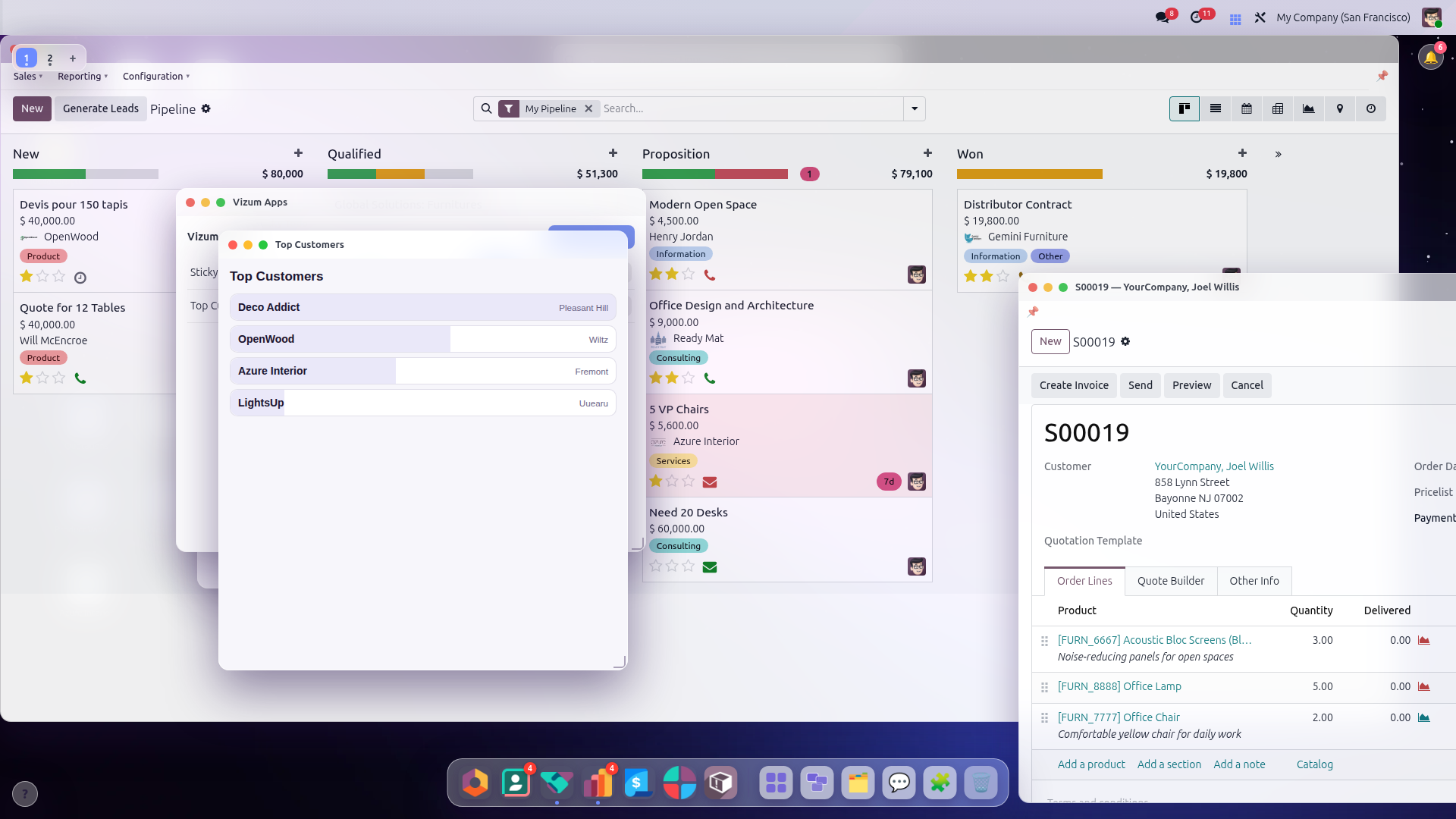
Drag, resize, snap-tiling, Spaces, tabs, Mission Control — your app inherits all of it.
A per-user (or shared) key-value store in the customer's own Odoo database.
Read/write exactly the models and fields your manifest declares — nothing else.
Live theme tokens: accent color and dark mode follow the user's desktop automatically.
How it works
Why a vapp instead of a native Odoo module?
A native module is the right tool when you need to change Odoo's own core behaviour. For everything else — a department tool, a customer-facing mini-app, a dashboard, an integration — a vapp gets you there in an afternoon, with none of the server risk.
| Native Odoo module | Vizum .vapp | |
|---|---|---|
| Install | Filesystem access to the server, add to the addons path, restart the service | Upload one .zip in the browser — live instantly |
| Server restart | Required on every change (a window of downtime) | Never — apply updates while users keep working |
| Risk to the database | Arbitrary Python — a bug can corrupt or take down the whole DB | Sandboxed + capability-gated; the manifest can only narrow access |
| Odoo 17 / 18 / 19 | Port & test the code against each version separately | Write once — the SDK runs it on every version |
| Updates | Redeploy files + restart | Publish to the store — open desktops pick it up |
| Uninstall / rollback | Migrations, leftover tables, manual cleanup | Tracked install → clean, reversible uninstall |
| Who can ship it | A developer with server / SSH access | Anyone — a ZERO-RISK vapp needs no admin at all |
| Distribution | Package for the Odoo Apps Store + review | The in-platform Vizum store — instant, public or private |
| Desktop UX | Build your own UI from scratch | Windows, dock, Spaces, Mission Control, mobile — for free |
HTML + JS + a manifest. No scaffolding, no server, no review queue.
Sandboxed and double-checked — the worst a vapp can do is what its approved permissions allow.
The same .vapp runs on Odoo 17, 18 and 19 — no per-version ports.
Publish and the desktops refresh. No redeploy, no restart, no maintenance window.
02Quickstart — your first app in 5 minutes
Three files, one zip, one click to install.
manifest.json{
"schema": 1,
"id": "com.acme.hello",
"name": "Hello Vizum",
"version": "1.0.0",
"entry": "index.html",
"icon": "icon.png",
"window": { "w": 360, "h": 300 },
"permissions": { "data": "user" }
}<!DOCTYPE html>
<html><head>
<meta charset="utf-8">
<link rel="stylesheet" href="/vizum_apps_platform/static/sdk/vizum-glass.css">
</head>
<body style="padding:16px">
<div class="vz-card">
<h2>Hello!</h2>
<p>Opened <b id="n">…</b> times by you.</p>
<button id="reset" class="vz-btn">Reset</button>
</div>
<script src="/vizum_apps_platform/static/sdk/vizum-sdk.js"></script>
<script src="app.js"></script>
</body></html>(async function () {
await Vizum.connect(); // handshake with the desktop
const n = ((await Vizum.data.get("opens")) || 0) + 1;
await Vizum.data.set("opens", n); // persisted per user, in Odoo
document.getElementById("n").textContent = n;
document.getElementById("reset").onclick = async () => {
await Vizum.data.set("opens", 0);
Vizum.ui.notify("Counter reset", "success");
Vizum.window.close();
};
})();Zip it (plus any 256×256 icon.png) and install:
cd hello-vizum/
zip -r ../com.acme.hello.vapp . -x '.*'
On the desktop: dock 🧩 → “+ Install .vapp” → pick the file → Open. Because this manifest only asks for private data, any user can install it instantly — no admin needed.
03Package anatomy
A .vapp is a renamed zip with one required contract: the manifest.
my-app.vapp
├── manifest.json          // REQUIRED — identity + permissions
├── index.html             // REQUIRED — your entry point
├── app.js                 // your code, any structure you like
├── style.css  assets/…    // css, images, fonts — vendor everything
└── icon.png // REQUIRED — square PNG, 256×256| Limit | Value |
|---|---|
| Zipped size | 5 MB |
| Unpacked size | 20 MB |
| File count | 200 |
| Paths | relative only — no .., no leading / |
permissions.net and call Vizum.net.fetch() —
everything else is blocked. Libraries and assets still belong inside the zip.
04The manifest, field by field
Your app's identity, window preferences and — most importantly — its permission contract.
{
  "schema": 1,
  "id": "com.yourcompany.appname",
  "name": "App Name",
  "version": "1.0.0",
  "min_platform": "1.0",
  "entry": "index.html",
  "icon": "icon.png",
  "window": { "w": 420, "h": 560, "singleton": true },
  "permissions": {
    "data": "user",
    "orm": [
      { "model": "sale.order",
        "ops": ["search", "read"],
        "fields": ["name", "amount_total", "state"],
        "domain": [["user_id", "=", "uid"]] }
    ],
    "ui": ["notify", "openRecord"],
    "events": { "emit": ["myapp.ping"], "listen": ["otherapp.pong"] }
  }
}| Field | Required | Meaning |
|---|---|---|
schema | yes | Manifest schema version — always 1 today. |
id | yes | Reverse-DNS, lowercase. Your app's permanent identity — never change it between versions. |
name | yes | Display name (window title, launcher, store). |
version | yes | Semver x.y.z. Re-installing the same version is rejected — bump it. |
min_platform | no | Minimum platform version (default "1.0"). |
entry | yes | The HTML file loaded into your window. |
icon | yes | PNG path inside the zip. |
window.w / h | no | Initial window size in pixels. |
window.singleton | no | true (default): opening again focuses the existing window. |
permissions | no | The contract — see the next section. |
05Permissions & install tiers
Declare exactly what you need. Admins approve exactly what you declared. The server enforces it on every call.
| Key | What it grants |
|---|---|
data | "user" (default): a private key-value store per user.
"global": one store shared by all users of the database. |
orm | A list of rules, one per model: model, ops
(search · read · read_group · write · create · unlink · call:<method>),
optional fields (reads return only these + id) and an optional
domain ANDed into every search — the literal "uid" becomes the
current user id server-side. |
ui | Which desktop UI calls you may make: notify,
openRecord, openList, setBadge,
addPaletteCommand. (confirm is always available — it only
asks the user.) |
events | Event names you may emit / listen to on the desktop bus. |
apps | App ids you may open with Vizum.apps.open() (intents). Zero-risk: it only opens apps the user already installed. |
net | External hosts Vizum.net.fetch() may reach:
exact hostnames ("api.frankfurter.app") or wildcards
("*.openweathermap.org"). Proxied server-side — redirects are not
followed, internal/IP hosts are blocked, responses cap at 2 MB. |
media | ["camera"] and/or ["microphone"] —
delegates the device to your sandboxed iframe so the standard
getUserMedia() works. The browser still prompts the user. |
secrets | Named API keys/tokens the app may use
(max 16, snake_case). Values live encrypted in Odoo, are typed by an
admin into a host dialog, can never be read back by the app, and are injected
server-side into net.fetch via $secret:name. |
oauth | OAuth2 providers (max 8) the app may connect
through Vizum.oauth. Providers are configured once per database
by an admin; tokens are per-user, encrypted, refreshed automatically and
never visible to the app — requests are proxied with the token injected. |
sessions | Device/session controls the app may call via
Vizum.sessions: revoke · revokeUser (end sessions) and the
policy setters getPolicy · setLoginAlerts · setSessionTimeout · setActivityAudit ·
setActivityAuditGlobal. Admin-gated (base.group_system) with a
host confirmation; session revoke needs Odoo 18+ for res.device. |
audit | true to read the field-level change history
through Vizum.audit.activity(). Pairs with native.audit (which
models/fields to change-log) and the admin's master switch. Captures real old→new diffs;
opt-in, prunes after 180 days. |
assistant | true to use the AI Assistant bridge
(Vizum.assistant). A server-side agent runs a tool-loop as the real
user (no sudo): broad read (ACL-enforced) + confirm-gated writes, with per-user
chat history. Admin-approved, high-risk. |
The two install tiers
| Tier | Manifest asks for… | Who can install |
|---|---|---|
| ZERO-RISK | nothing beyond data: "user" |
Any desktop user, instantly. |
| PRIVILEGED | orm, net or data: "global" |
Lands in “needs approval”: an administrator reviews the exact scopes. Updates that widen permissions re-enter approval — the old version keeps running meanwhile. |
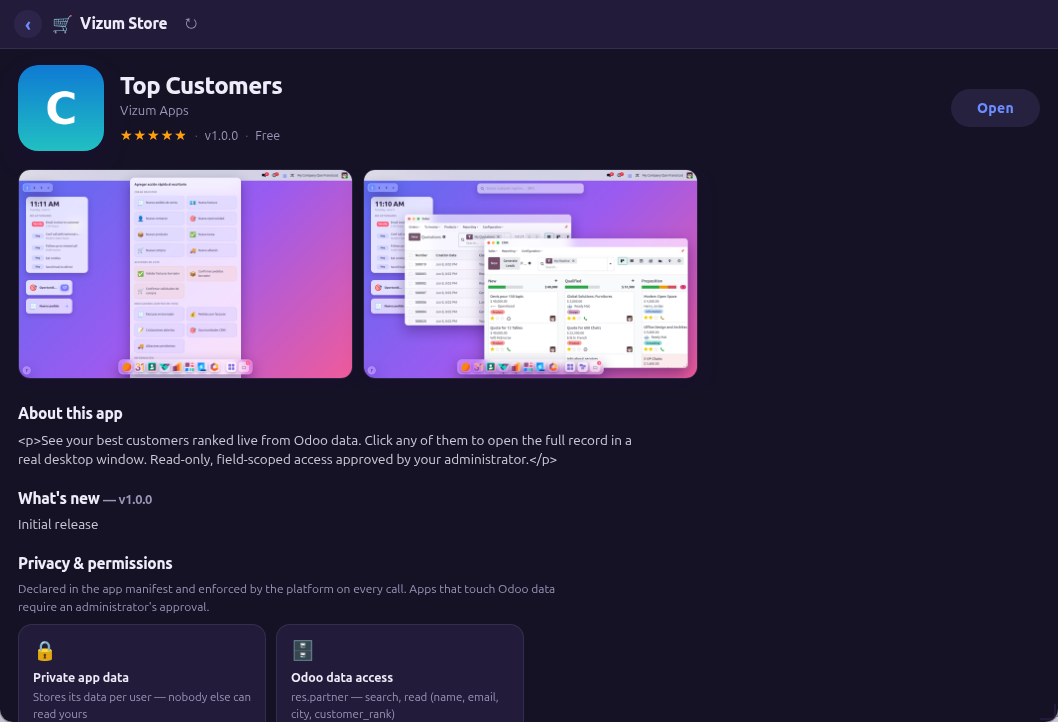
fields is also marketing.Write actions ask the user
Every mutating ORM call (create, write,
unlink, call: methods) pops a
host-rendered confirmation the sandboxed app cannot fake or skip:
“AppName wants to create 1 account.move record — Allow / Deny”.
Creates, updates and method calls ask once per app + operation + model and are
then remembered; deletions ask every time. Users reset an app's remembered
grants from Vizum Apps (↺ on the card). Denied calls reject with
Error("UserDenied") — handle it gracefully.
06Version compatibility — write once, run on every Odoo
A .vapp keeps working when the customer upgrades Odoo
(17 → 18 → 19 → …). You don't repackage it. Here's why, and the handful of rules that keep it true.
Why your app survives upgrades
- The SDK is shared, never bundled. Your package does not contain a copy of
vizum-sdk.js— it loads the platform's single shared copy. Upgrading the platform upgrades the SDK for every installed app at once; there are no stale copies. - The
window.Vizumcontract is version-stable. The transport (postMessage) and every namespace below are the same across Odoo versions. The platform absorbs the Odoo internals. - Renamed core fields are translated for you. Odoo occasionally renames a field
(e.g.
res.users.groups_idbecamegroup_idsin 19). Theormproxy transparently maps the known renames in both directions, so an app written against either name keeps reading/writing/searching it on any version — the result comes back under the name you asked for.
Three rules to stay future-proof
- Never read group fields off
res.usersdirectly. UseVizum.user/Vizum.roles(below) — they speak stable group XMLIDs, which never change between versions. - Stick to standard fields.
id, name, login, lang, tz, company_id,
        currency_id, create_date, write_date, display_name
are stable everywhere. - Branch on the version only if you truly must —
Vizum.session.odoo_versiongives the running major (17/18/19).
Vizum.user — version-safe identity & groups
No permission required (it only ever reveals the current user's own info).
await Vizum.connect();
Vizum.user.id;        // 12        (sync, from the handshake)
Vizum.user.name;      // "Jane Doe"
Vizum.user.isAdmin;   // true if ERP-manager/admin
Vizum.user.isSystem;  // true if in base.group_system

// is the user in an Odoo group? (stable XMLID — works on every version)
if (await Vizum.user.inGroup("sales_team.group_sale_manager")) showApproveButton();

const xmlids = await Vizum.user.groups();  // the user's OWN group XMLIDs
const full   = await Vizum.user.info();    // {id,name,login,isAdmin,isSystem,company,lang,tz}
Vizum.scope — am I per-user or global?
Tells your app which storage scope it runs in, so you can label the UI honestly (“shared with everyone” vs “your data”). Derived from your approved manifest.
const s = await Vizum.scope();
// { data: "user" | "global",        // your Vizum.data / key-value scope
//   tables: { notes: {shared: true} }, // per Vizum.db table
//   install_scope: "user" | "admin",
//   default_access: "all" | "restricted" }
if (s.data === "global") banner("Notes are shared with your whole company.");
Declaring scope is done in the manifest, not at runtime:
permissions.data: "global" makes the KV store company-wide (privileged);
a tables[].shared: true table gives each row an owner + per-row sharing
(Vizum.db.share()), versus the default per-user isolation. See
Permissions & tiers and The manifest.
Vizum.roles — declarative app roles
Map your own role names to Odoo groups in the manifest; the platform evaluates them
as the real user (stable has_group(xmlid)) so the answer is trustworthy.
"roles": [{"name": "manager", "label": "Approver",
           "groups": ["sales_team.group_sale_manager", "base.group_system"]}]
if (await Vizum.roles.has("manager")) enableApprovals();
await Vizum.roles.mine(); // ["manager", ...] the roles the user has07Where your data lives — JSON vs native Odoo tables
Vizum gives you three places to keep data, from a zero-ceremony JSON key–value bag up to real Odoo tables that the rest of Odoo — reports, pivots, other modules, Studio — can see. Choose by one question: does anything outside your app need to read this?
The three storage tiers
| Mechanism | What it is | Best for | Visible to native Odoo? (reports / pivots / other modules) |
|---|---|---|---|
Vizum.data |
Per-user or global JSON key→value blobs. No schema. | UI state, preferences, tiny app-private scratch data. | NO — opaque JSON |
Vizum.db |
App-private JSON rows in an internal relational store (SDK v4). Equality indexes, ~1M rows/table. | Structured data only your app needs to query. | NO — app-only JSON |
native.* + Vizum.orm |
Real Odoo tables & columns declared in your manifest (or provided by a companion addon). | Anything accountants, dashboards, automations or sibling apps must read, aggregate or report on. | YES — first-class Odoo |
Vizum.data for tiny UI state, Vizum.db
for app-private structured data nobody else needs, and go native the moment anything else
must see it — Odoo's report engine, a pivot/graph view, an automation, a sibling app, or a real
many2one into res.partner / sale.order.
JSON rows can never be pivoted, filtered or joined by Odoo; native rows always can.
native.* rows cross the ORM boundary into Odoo's reporting and views; JSON storage stays inside your app.Declaring fields on an existing model
Add columns to a shared Odoo model — e.g. surface an app-owned attribute on
res.partner. The platform creates a real manual field named
x_vzm_<app>_<name> and archives it (never drops it)
on uninstall, so data survives.
"permissions": {
  "schema": { "models": ["res.partner"], "create_models": false }
},
"native": {
  "fields": [
    { "model": "res.partner", "name": "health", "type": "integer", "label": "Health Score" },
    { "model": "res.partner", "name": "tier", "type": "selection", "label": "Tier",
      "selection": [["bronze","Bronze"], ["silver","Silver"], ["gold","Gold"]] }
  ]
}
Declaring a brand-new model
Own a whole table. The platform creates a real model
x_vzm_<app>_<model> with x_-prefixed
columns. Owned models are hard-dropped on uninstall (their rows go with them), so use
them for app-owned data, not shared business records.
"permissions": {
  "schema": { "models": [], "create_models": true }
},
"native": {
  "models": [
    { "name": "vehicle", "label": "Vehicle",
      "access": [{ "group": "base.group_user", "ops": ["read","write","create","unlink"] }],
      "fields": [
        { "name": "make",   "type": "char",      "label": "Make" },
        { "name": "year",   "type": "integer",   "label": "Year" },
        { "name": "owner",  "type": "many2one",  "relation": "res.partner", "label": "Owner" },
        { "name": "status", "type": "selection", "label": "Status",
          "selection": [["active","Active"], ["sold","Sold"]] }
      ]
    }
  ]
}
Field types: char, text,
integer, float, monetary, boolean,
date, datetime, selection,
many2one/many2many/one2many (with
relation), plus related and
formula computed fields.
Reading & writing native data from app.js
app.js
await Vizum.connect();
const MODEL = "x_vzm_vehicles_vehicle";   // x_vzm_<app>_<model>; fields are x_-prefixed

const rows = await Vizum.orm.searchRead(MODEL, [["x_status","=","active"]],
  ["x_make","x_year","x_owner"], { order: "id desc", limit: 50 });

const id = await Vizum.orm.create(MODEL,
  { x_make: "Ford", x_year: 2024, x_owner: partnerId });   // bare int id for a many2one

await Vizum.orm.write(MODEL, [id], { x_status: "sold" });

const byYear = await Vizum.orm.readGroup(MODEL, [], ["__count"], ["x_year"]); // real SQL aggregationVizum.data blobs and Vizum.db rows
cannot be pivoted, grouped or joined by Odoo's report engine, list/pivot/graph views, or other
modules — only native.* tables can. Migrating JSON → native later means a one-time
backfill; choosing native up front avoids it.
native block raises the app to the
PRIVILEGED tier — an administrator approves it at install — and a
brand-new native model needs the Odoo server restarted once before its rows are queryable
(a registry hot-reload gap; see Troubleshooting). Adding fields
to an existing model needs no restart.
Already using a companion addon?
If your app calls Vizum.orm against models defined by a packaged
Odoo addon you ship alongside (the way the PSI field-service apps use dsd.*),
you are already fully native — those are real tables the rest of Odoo sees, no
native.* needed. The manifest native.*
mechanism is the alternative for apps that want to declare their schema without shipping
a separate module. Don't re-declare an addon's models as native.models
— that creates empty parallel tables and orphans the real data.
08The SDK — window.Vizum
Load two files, call connect(), and everything below is yours
(within your approved permissions).
Vizum.* and VUI.* calls in your browser
against a built-in mock — no Odoo, no install, nothing leaves your machine. Edit any of the
examples (KV storage, ORM reads, an internal table, a form, a chart, dialogs) and hit Run.
<link rel="stylesheet" href="/vizum_apps_platform/static/sdk/vizum-glass.css">
<script src="/vizum_apps_platform/static/sdk/vizum-sdk.js"></script>
Vizum.connect()
const { caps, theme } = await Vizum.connect();
// caps  = the permissions the admin actually approved
// theme = { accent: "#6c5bd8", dark: false } — kept live afterwards
Vizum.data — persistence
await Vizum.data.set("settings", { sound: true, limit: 20 });  // any JSON
const s    = await Vizum.data.get("settings");                 // null if absent
const keys = await Vizum.data.list();
await Vizum.data.del("settings");

// global-scope apps can react to writes made by OTHER users:
Vizum.data.subscribe("counter", () => refresh());
Vizum.orm — Odoo data
const rows = await Vizum.orm.searchRead(
    "sale.order", [["state", "=", "sale"]],
    ["name", "amount_total"], { limit: 10, order: "amount_total desc" });

const ids   = await Vizum.orm.search("sale.order", [["state", "=", "sale"]]);
const recs  = await Vizum.orm.read("sale.order", ids, ["name", "state"]);
const count = await Vizum.orm.searchCount("sale.order", []);
const created = await Vizum.orm.create("crm.lead", { name: "From my vapp" });
const newId = created[0];   // ⚠ create returns number[] (an array of ids) — take [0] for a single record
await Vizum.orm.write("crm.lead", newId, { priority: "2" });  // passing the array as the id raises "unhashable type: list"
await Vizum.orm.call("res.currency", "name_search", ["USD"]); // needs "call:name_search"

// server-side aggregation (needs the "read_group" op) — dashboards should
// NEVER pull thousands of rows to add them up in JS:
const byMonth = await Vizum.orm.readGroup(
    "sale.order", [["state", "=", "sale"]],
    ["date_order:month"],                  // groupby (granularity optional)
    ["amount_total:sum", "__count"],       // aggregates
    { limit: 12, order: "date_order:month" });
// → [{ "date_order:month": "2026-05-01", "amount_total:sum": 80214.5, "__count": 31 }, …]
// many2one groupby values arrive as [id, display_name]
Denied calls reject with Error("PermissionDenied") — catch them
and degrade gracefully.
Vizum.query — fluent queries (SDK v4)
const hot = await Vizum.query("crm.lead")
    .where("stage_id.name", "=", "Proposition")
    .where("expected_revenue", ">", 10000)
    .orWhere("priority", "=", "3")           // (revenue>10k OR priority=3)
    .order("expected_revenue desc")
    .fields("name", "expected_revenue", "partner_id")
    .limit(20)
    .all();

const total  = await Vizum.query("sale.order").where("state", "=", "sale").count();
const lead   = await Vizum.query("crm.lead").where("id", "=", id).first();   // row | null
const pageOf = await Vizum.query("account.move")
    .whereIn("move_type", ["out_invoice", "out_refund"])
    .group([["state", "=", "posted"], ["state", "=", "draft"]])   // (posted OR draft)
    .order("invoice_date desc")
    .page(0, 25);                            // {rows, total, page, pages}
A chainable builder that compiles to a real Odoo domain (inspect it with
.toDomain()) and runs through the same
orm proxy — so the manifest allowlist, your declared
fields and the user's ACLs apply exactly as with
searchRead. where chains
with AND; orWhere ORs with the previous term;
group([...]) adds a parenthesised OR-block.
Terminals: all · first · count · ids · page ·
groupBy. Reads only — use Vizum.orm.create/write
to change data. Available as Vizum.query() or
Vizum.orm.query().
Vizum.net — external APIs (allowlisted)
// manifest: "permissions": { "net": ["api.frankfurter.app"] }
const res = await Vizum.net.fetch("https://api.frankfurter.app/latest?to=EUR");
if (res.ok) {
    console.log(res.json.rates.EUR);   // .json is pre-parsed for JSON responses
}
// POST with headers — Cookie/Host are stripped, your API keys pass through:
await Vizum.net.fetch("https://api.example.com/items", {
    method: "POST",
    headers: { "X-Api-Key": "…" },
    body: { name: "from my vapp" },    // objects are sent as JSON
});
The request happens on the Odoo server, never in the browser: no CORS, no leaked
session. Hosts outside permissions.net reject with
PermissionDenied; binary bodies arrive base64-encoded with
binary: true.
Vizum.ui — talk to the desktop
Vizum.ui.notify("Saved!", "success");            // info | success | warning | danger
Vizum.ui.openRecord("res.partner", 42, "ACME");  // opens a REAL Odoo form window

// open a real Odoo LIST window, filtered (grant: "openList"):
Vizum.ui.openList("sale.order", [["partner_id", "=", 42]], "ACME's orders");

// host-rendered confirmation dialog (always available) -> boolean:
const yes = await Vizum.ui.confirm("Post 3 invoices now?", "Approval Center");
if (!yes) { return; }
Vizum.window — your own window
Vizum.window.setTitle("Pomodoro — 12:25 left");
Vizum.window.resize(480, 600);
Vizum.window.close();
Vizum.help — ship documentation with your app
// One call gives you a floating ? button + a styled help overlay. Free.
Vizum.help.button("My App — guide", [
    { h: "Getting started", p: "One-paragraph overview of what the app does." },
    { h: "Shortcuts", rows: [["Ctrl+B", "bold"], ["⟳", "refresh the data"]] },
]);
// or open it yourself from any button:
Vizum.help.show("My App — guide", sections);
Every serious app ships in-app help — the Vapp Creator template already includes a
wired-up Vizum.help.button() for you to edit.
Vizum.session & Vizum.format — who is using you (SDK v2)
const { session } = await Vizum.connect();
// { uid, name, login, lang, tz, company: {id, name},
//   currency: { name, symbol, position, decimal_places } }

Vizum.format.money(1234.5);     // "$ 1,234.50" — REAL Odoo currency & position
Vizum.format.number(0.1234, 2); // locale-aware
Vizum.format.date("2026-06-11");
Vizum.format.datetime("2026-06-11 14:00:00"); // Odoo naive-UTC → user tz
A safe subset only: no tokens, no groups. Stop hardcoding "$" — every serious app
formats through Vizum.format.
Collections — multi-user data done right (SDK v2)
const tasks = Vizum.data.collection("tasks");
const { id, rev } = await tasks.insert({ title: "Ship v2", done: false });
await tasks.update(id, rev, { title: "Ship v2", done: true });  // rev 1 → 2
// stale writes REJECT instead of clobbering a teammate:
try { await tasks.update(id, 1, { done: false }); }
catch (e) { /* e.message === "rev_conflict" → reload the item */ }

const rows = await tasks.list();        // [{id, rev, value}, …] (≤500)
await tasks.remove(id);
tasks.subscribe(() => refresh());       // live, when data:"global"
Each item is its own record with an optimistic revision — the cure for the
classic “two users editing one big KV document” clobber. Scope follows
permissions.data (user/global) exactly like the KV.
Vizum.files — binary storage (SDK v2)
await Vizum.files.put("export.png", base64Png);   // ≤5 MB/file
const f = await Vizum.files.get("export.png");    // {b64, mimetype, size}
const all = await Vizum.files.list();             // ≤50 files, ≤25 MB per app
await Vizum.files.del("export.png");
Backed by real attachments, scoped like your KV, never reachable through the public
run URL. Stop smuggling base64 blobs through data.set.
Vizum.apps — intents (SDK v2)
// manifest: "permissions": { "apps": ["com.vizumapps.kds"] }
await Vizum.apps.open("com.vizumapps.kds", { table: "T5" });

// the TARGET app receives the payload:
const { intent } = await Vizum.connect();        // when opened by an intent
Vizum.events.on("intent", (p) => { … });         // when already running
Declared targets only, and only if the user has the target installed —
Error("AppNotInstalled") otherwise.
Dock badge & command palette (SDK v2)
Vizum.ui.setBadge(7);                       // red counter on your dock tile
Vizum.ui.setBadge("");                      // clear it
Vizum.ui.addPaletteCommand("POS: new sale"); // shows in the desktop palette
Vizum.events.on("palette", (label) => { … }); // fired when the user runs it
Pin a live KPI to the desktop (SDK 4.1)
Pin any aggregate as a desktop widget that re-queries Odoo on its own timer —
it keeps updating even after your app is closed. Declare
"ui": ["pinWidget"]; the model
must be one your app is granted to read, and the widget runs as the user.
await Vizum.ui.pinWidget({
    label:   "Open deals",
    model:   "crm.lead",
    measure: "expected_revenue:sum",   // "field:sum|avg|min|max"; omit ⇒ record count
    domain:  [["probability", "<", 100]],
    format:  "cur",                    // "cur" | "int" | "dec" | "pct" | null
    icon:    "🎯",
});
Clicking the widget opens the matching Odoo list. Sheets Lite ships this:
select a =ODOO(…) cell and hit 📌 Pin KPI.
Vizum UI Kit — components for free (SDK v2)
<script src="/vizum_apps_platform/static/sdk/vizum-ui.js"></script>document.body.appendChild(VUI.table({
columns: [
{ key: "name", label: "Product" },
{ key: "price", label: "Price", align: "right", format: (v) => VUI.money(v) },
],
rows: products,
onRow: (r) => Vizum.ui.openRecord("product.template", r.id, r.name),
}));
document.body.appendChild(VUI.chart.bar(series)); // series = [{label, value}]
// SDK v4.20 — the full chart family, one call each:
VUI.chart.line(series); VUI.chart.area(series); // trend, filled trend
VUI.chart.donut(series); VUI.chart.pie(series); // share-of-total + legend
VUI.chart.hbar(series); // horizontal ranking
VUI.chart.multibar(groups, seriesList, { mode: "stacked" }); // or "grouped"
VUI.chart.multiline(groups, seriesList); // several trends, one plot
// multi-series shape: groups = [{label}], seriesList = [{name, values: [...]}]
const ok = await VUI.confirm("Delete this board?");
VUI.searchPicker({ model: "res.partner", fields: ["name", "email"],
onPick: (r) => setCustomer(r) });Zero dependencies, XSS-safe by construction (everything renders through
textContent), themed by the same tokens as
vizum-glass.css. Components:
el · dialog · confirm · prompt · table ·
     chart.bar/line/area/donut/pie/hbar/multibar/multiline ·
     searchPicker · tabs · empty · form · wizard · pipeline · signature · pdf · dataGrid · xlsx
.
VUI.dataGrid — the enterprise grid (SDK v3)
const grid = VUI.dataGrid({
    model: "account.move",
    columns: [
        { field: "name", label: "Number" },
        { field: "partner_id", label: "Customer" },                  // many2one renders its name
        { field: "invoice_date", label: "Date", type: "date" },
        { field: "amount_total", label: "Total", type: "money", total: true, editable: true },
    ],
    domain: [["move_type", "=", "out_invoice"]],
    search: ["name", "partner_id"],          // top search box
    groupBy: "partner_id",                   // grouped headers w/ counts + Σ, click to drill in
    orderBy: "invoice_date desc", pageSize: 25, id: "invoices",
    actions: [{ label: "✓ Post", onClick: (ids) => postAll(ids) }],
    onOpen: (r) => Vizum.ui.openRecord("account.move", r.id, r.name),
});
container.appendChild(grid);
grid.reload();                               // call after external changes
Server-side everything: paging (searchRead +
searchCount), column sort, per-column filters and
grouping (readGroup) all build real Odoo domains —
so the manifest allowlist, your declared fields and the user's ACLs apply to
every byte. Inline editing (double-click) goes through
orm.write and therefore through the host's
confirmation gate. Bulk actions receive the selected ids. The ⚙ menu hides
columns per user (persisted). ⤓ XLSX exports every row matching the
current filters (up to 10k) as a real .xlsx built
in-browser with zero dependencies — also available standalone as
VUI.xlsx("file.xlsx", [{name, rows}]) for any
tabular data (strings, numbers, full unicode).
VUI.wizard — multi-step flows (SDK v4)
const wiz = VUI.wizard({
    steps: [
        { title: "Customer", fields: [                // a step is a VUI.form spec…
            { name: "name", label: "Company", required: true, width: "full" },
            { name: "email", label: "Email", type: "email" } ] },
        { title: "Items", render: (box, ctx) => {     // …or draw anything
            box.appendChild(buildLineEditor(ctx.values)); } },
        { title: "Confirm", render: (box, ctx) => {
            box.appendChild(VUI.el("p", { text: "Create order for " + ctx.values.name + "?" })); } },
    ],
    onCancel: () => win.close(),
    onFinish: async (v) => { await Vizum.orm.create("sale.order", toOrder(v)); },
});
container.appendChild(wiz.el);
A guided multi-step flow with a numbered step rail (done / current / pending),
Back / Next / Finish, and accumulated state. A step with
fields builds a VUI.form
and won't advance until it validates; a step with
render(box, ctx) draws anything and reads prior
answers from ctx.values. An optional
validate(values) per step returns an error string
to block. onFinish(allValues) runs busy-stated;
completed steps are clickable to go back. Returns
{el, values(), goTo, next, back}.
VUI.signature + VUI.pdf — capture & document (SDK v4)
const sig = VUI.signature({ width: 420, height: 170, label: "Customer signature" });
container.appendChild(sig.el);
// later — build a proof-of-delivery PDF and stash it on the record:
if (!sig.isEmpty()) {
    const doc = VUI.pdf({ size: "A4", margin: 50 });
    doc.text("Proof of Delivery", { size: 20, bold: true });
    doc.text("Order " + order.name, { y: 120, size: 12, color: [0.3, 0.3, 0.3] });
    doc.line(50, 140, 545, 140, { width: 0.8 });
    doc.text("Received by:", { y: 160 });
    doc.image(sig.toDataURL("image/jpeg"), { x: 50, y: 180, w: 240 });   // JPEG only
    doc.save("delivery_" + order.name + ".pdf");                          // or doc.toBase64()
    await Vizum.files.put("pod_" + order.id + ".pdf", doc.toBase64());    // keep it
}
VUI.signature is a HiDPI-correct canvas pad with smooth strokes, a
placeholder hint and a clear button; isEmpty(),
clear() and
toDataURL()/toBlob() (JPEG-on-white by default).
VUI.pdf is a zero-dependency PDF builder — text (Helvetica /
Helvetica-Bold, color, left/center/right), line,
rect, multi-page
(addPage) and JPEG images (DCTDecode), with
top-left point coordinates. Output as
save(filename) · toBase64() · toBlob() · dataUrl() —
hand the base64 to Vizum.files.put or a net upload.
Images are JPEG-only so embedding stays robust (no PNG predictors) — and
signature.toDataURL() already returns JPEG, so the
two compose directly. For pixel-perfect branded documents use server-side
Vizum.reports (QWeb); reach for
VUI.pdf when an app needs to generate one on the
spot with no template.
VUI.pipeline — a drag-and-drop kanban board (SDK v4)
const board = VUI.pipeline({
    model: "crm.lead",
    stageField: "stage_id",
    stageModel: "crm.stage",                 // shows empty stages too (else derived from data)
    domain: [["type", "=", "opportunity"]],
    fields: ["name", "expected_revenue", "partner_id"],
    sumField: "expected_revenue",            // per-column Σ in the header
    search: ["name", "partner_id"],
    onOpen: (r) => Vizum.ui.openRecord("crm.lead", r.id, r.name),
    // onMove defaults to orm.write({stage_id: newStage}); override for side-effects
});
container.appendChild(board);
board.reload();
One column per stage, cards drag between them, and the move persists through
orm.write — so the manifest allowlist, the host
confirmation gate and the user's ACLs apply to every stage change. Stages come
from stageModel (so empty columns still render),
from an explicit stages list, or are derived from the
data with read_group. Each column shows a live count
and an optional sumField total; supply a
card(rec) renderer for a custom card or let the kit
draw name + amount. Override onMove(id, stageId, rec)
to run a real Odoo method (e.g. callOn to mark won)
instead of a plain write.
VUI.form — declarative forms with validation (SDK v4)
const f = VUI.form({
    columns: 2,
    fields: [
        { name: "name",      label: "Name", required: true, width: "full" },
        { name: "email",     label: "Email", type: "email" },
        { name: "amount",    label: "Budget", type: "money", min: 0 },
        { name: "stage",     label: "Stage", type: "select",
          options: [["new", "New"], ["won", "Won"], ["lost", "Lost"]] },
        { name: "partner_id", label: "Customer", type: "many2one",
          model: "res.partner", fields: ["name", "email"] },
        { name: "due",       label: "Due", type: "date" },
        { name: "vip",       label: "VIP account", type: "checkbox" },
    ],
    values: { stage: "new" },
    onSubmit: async (v) => {                 // busy spinner until it resolves
        await Vizum.orm.create("crm.lead", v);
        Vizum.ui.notify("Saved", "success");
    },
});
container.appendChild(f.el);
// programmatic: f.values(), f.setValues({…}), f.validate(), f.reset()
One object describes the whole form; the kit renders inputs, labels, help text
and inline validation, and wires a busy-stated submit button. Field
type: text · textarea · number ·
integer · money · email · tel · url · password · select · checkbox · date ·
datetime · many2one. many2one fields open a
searchPicker over your granted model.
required · min · max and a custom
validate(value, all) run before
onSubmit; throw {field, message}
from onSubmit to flag a server-side error on a specific
field. Same theme tokens, same XSS-safe rendering as the rest of the kit.
Vizum.orm.watch — live data without hammering (SDK v2.1)
const watcher = Vizum.orm.watch("pos.order",
    [["state", "in", ["draft", "paid"]]],
    (h) => refresh(),          // called ONLY when something changed
    { interval: 6 });           // seconds (4–60, default 8)
watcher.stop();
The desktop polls a cheap server fingerprint (record count + max
write_date, one aggregated query) and wakes your app only on a
change. Needs the search grant on the model; your manifest
domain is injected as always. (The poll pauses while the tab is hidden.)
Vizum.orm.live / Vizum.refresh — auto live data (SDK v5.4)
Don't list the models by hand. Vizum.orm.live(render) runs your
render, notes every model it reads, watches them, and re-runs it whenever any
change — created/updated/deleted by you OR another user — plus when the tab regains
focus. One line replaces a reload timer.
// vanilla: a single idempotent render (clear-then-build) stays live by itself
const live = Vizum.orm.live(async () => {
    const rows = await Vizum.orm.searchRead("sale.order", dom, fields);
    render(rows);               // auto re-runs on any sale.order change / tab focus
});
// live.refresh()  → force a re-run now;   live.stop()  → tear down

// no single render fn (load-once, or a React store)? point refresh at your reload:
Vizum.refresh.on(() => reload());   // fires on any model you've READ changing + on focus
Both build on watch (same cheap fingerprint, same
search grant) — no extra permission. opts:
{ interval?:4–60s, debounce?:ms, models?:[…] }.
Vizum.window.openPanel — multi-window apps (SDK v2.1)
// a SECOND window of your app, showing another file of your package:
Vizum.window.openPanel("inspector.html", { title: "Inspector", w: 380, h: 520,
                                           payload: { recordId: 42 } });
// inspector.html reads the payload via Vizum.intent and talks to the main
// window with Vizum.events (same app = same event bus)
Panels close automatically with their parent window.
Vizum.reports — real QWeb PDFs (SDK v2.1)
// manifest: "permissions": { "reports": ["account.report_invoice"] }
await Vizum.reports.download("account.report_invoice", [invoiceId], "invoice.pdf");
Rendered by Odoo's own report engine as the user — record rules apply. Per-report allowlist in the manifest.
i18n — ship translations in the package (SDK v2.1)
// package:  i18n/es.json → {"New order": "Nueva orden", "Hello %s": "Hola %s"}
Vizum._t("New order");          // "Nueva orden" when session.lang = es_*
Vizum._t("Hello %s", name);
The SDK loads i18n/<lang>.json (then the short code) at
connect; missing keys fall back to the key itself.
Background jobs (SDK v2.1)
// manifest (requires data:"global"; max 5 jobs):
"jobs": [{ "name": "daily_digest", "every_hours": 24,
           "webhook": "https://api.example.com/hook" }]   // host must be in net

// in the app — react live or on next open:
Vizum.data.subscribe("job:daily_digest", () => buildDigest());
const last = await Vizum.data.get("job:daily_digest");    // {ts, job}
The platform cron writes a tick into your global store on schedule (and optionally POSTs your webhook). Your JS never runs server-side — the tick is the contract.
Camera & microphone (SDK v2.2)
// manifest: "permissions": { "media": ["camera"] }   // or "microphone"
// then use the STANDARD web APIs — no Vizum wrapper needed:
const stream = await navigator.mediaDevices.getUserMedia({ video: true });
const codes  = await new BarcodeDetector().detect(videoEl);  // barcode scanning
Without the manifest entry the sandboxed iframe gets no device access at
all (Permissions-Policy). With it, the host delegates the capability — and the
browser still shows its own camera/mic prompt to the user on first use, so
access is always double-gated. Feature-detect with
Vizum.capabilities().features.includes("media").
Adding media in an update re-triggers approval
(permission widening). See Vizum Barcode for a worked camera scanner.
Vizum.audit — a business diary you can show an auditor (SDK v3)
await Vizum.audit.log("approved_purchase", { purchase_id: 55, amount: 1200000 });
const logs = await Vizum.audit.search({ action: "approved_purchase",
                                        date_from: "2026-06-01" });
// → [{ts, user: [id, name], action, payload, ok, duration_ms, app_version}]
App-scoped: every user of the app reads its trail (an approver wants to see everyone's approvals), never another app's. Payloads cap at 4 KB, entries prune after 180 days, and action runs land here automatically — including failures, written in an isolated transaction so a rollback can't erase the evidence.
Vizum.actions — auditable business operations (SDK v3)
// manifest — the admin approves a CATALOGUE, not loose method calls:
"actions": [
  { "name": "invoice.post", "model": "account.move", "method": "action_post",
    "label": "Post invoices", "groups": ["account.group_account_invoice"] }
]

// in the app:
await Vizum.actions.run("invoice.post", { ids: [12, 13, 14] });
Each run: host confirmation dialog → required Odoo groups checked on
top of normal ACLs → record-bound method executes as the user → automatic
audit entry with who/ids/params/result/duration. Declaring actions makes the
app privileged-tier, and adding one in an update requires re-approval. This is
what turns “the app calls action_post” into
“finance approved posting invoices from this app, and every run is on file”.
Vizum.webhooks — receive events, stop polling (SDK v3)
// manifest (requires data:"global"):
"webhooks": [{ "name": "whatsapp_inbound", "secret_name": "wa_app_secret" }]

// in the app — give the URL to the provider, react live:
const { url } = await Vizum.webhooks.url("whatsapp_inbound");
Vizum.data.subscribe("c:hook_whatsapp_inbound", refreshChat);
const deliveries = await Vizum.data.collection("hook_whatsapp_inbound").list();
The URL is a capability (an HMAC token bound to app+hook — unguessable,
no session needed). Hooks with a secret_name also
verify Meta-style X-Hub-Signature-256 against the
vaulted secret. GET handles the Meta/WhatsApp subscribe handshake (use the
URL's last segment as the verify token). Deliveries are 64 KB max, kept
FIFO 500 per hook in the app's global collection, with a bus ping so open
desktops update instantly. Shopify orders, Stripe payments, WhatsApp
messages — no polling.
Heads-up — public URL. The webhook URL is built from your Odoo's
web.base.url. If that is an internal address (a LAN
IP like https://192.168.x.x:8090, localhost, a
docker host), external providers like Meta/WhatsApp, Shopify or Stripe can't
reach it. Set the system parameter
vizum_apps_platform.public_base_url (Settings ▸
Technical ▸ System Parameters) to your public HTTPS origin and the
webhook URL uses that instead — without moving
web.base.url, which also drives email/report links.
The server must still be reachable from the internet (reverse proxy / tunnel)
with a valid TLS certificate.
Vizum.import + VUI.importMapper — Excel in, Odoo records out (SDK v3)
// one call: file picker -> parse -> map columns -> batch create
const res = await VUI.importMapper({ model: "res.partner" });
// res = {created: [ids…], errors: [{row, error}], total}

// or the pieces, when you want your own flow:
const { columns, rows } = await Vizum.import.open({ requiredColumns: ["name"] });
const fields = await Vizum.meta.fields("res.partner");   // labels, types, required…
CSV parsing auto-detects , ; tab and handles quoted
delimiters/newlines; .xlsx is read natively (ZIP central directory +
DecompressionStream + sharedStrings — zero
libraries). The mapper auto-suggests by column/label similarity, casts types,
imports in chunks of 50 and falls back to row-by-row on a failed chunk so one
bad line never sinks fifty good ones — every failure reported with its row
number. Vizum.meta.fields() returns metadata only,
and only for models the manifest already grants.
Vizum.jobs — a scheduler you can operate (SDK v3)
// manifest — cron expressions and retries (or keep every_hours):
"jobs": [{ "name": "sync_orders", "cron": "*/15 * * * *",
           "webhook": "https://api.acme.com/hook",
           "retry": { "count": 3, "backoff": "exponential" } }]

// in the app:
await Vizum.jobs.runNow("sync_orders");          // manual trigger
const st = await Vizum.jobs.status("sync_orders"); // {last_run, fails, retry_at…}
const history = await Vizum.jobs.logs("sync_orders"); // audit-backed run log
Full 5-field cron (*/n, ranges, lists, dow 0-7) at
10-minute platform resolution. Failed webhook deliveries retry with
exponential or linear backoff up to count times —
state is visible in status(), and every run
(scheduled, manual or retry) lands in the audit trail with its outcome.
Vizum.sessions — see & revoke who is logged in (SDK 5)
// manifest: "permissions": { "sessions": ["revoke", "revokeUser"] }  — admin-gated.
// Read the device list through Vizum.orm on res.device (Odoo 18+):
const devices = await Vizum.orm.searchRead("res.device", [],
  ["user_id", "browser", "platform", "ip_address", "last_activity", "is_current"]);

await Vizum.sessions.revoke(deviceId);     // kill ONE session (a res.device id)
await Vizum.sessions.revokeUser(userId);   // kill ALL of a user's OTHER sessions
A sandboxed app cannot end an Odoo session itself — the real kill
(res.device._revoke()) is private and identity-checked.
The platform performs it under a base.group_system gate plus a host
confirmation, so you can build a "my devices" panel, an IT force-logout, or a
kill-switch for a lost laptop without shipping a native module. Needs Odoo 18+
for res.device.
Session security policy — alerts, idle timeout, audit (SDK 5)
// manifest: "permissions": { "sessions": ["getPolicy", "setLoginAlerts",
//   "setSessionTimeout", "setActivityAudit", "setActivityAuditGlobal"] }
const p = await Vizum.sessions.getPolicy();
// → { login_alerts, session_timeout:{enabled, hours, min_hours},
//     activity_audit:{enabled, global}, supported }

await Vizum.sessions.setLoginAlerts(true);          // in-app notify on every NEW sign-in
await Vizum.sessions.setSessionTimeout(true, 24);   // auto-revoke sessions idle > 24h (min 2h)
await Vizum.sessions.setActivityAudit(true);        // turn ON the change-log (see Vizum.audit.activity)
await Vizum.sessions.setActivityAuditGlobal(true);  // ADVANCED: also log native-UI / RPC writes
One platform capability replaces a whole "advanced session management" add-on —
no native install. getPolicy() reads on every Odoo
version; the setters are admin-only. Login alerts poll new
res.device sign-ins on a 2-minute cron and notify the
user in-app. Session timeout auto-revokes idle sessions on a cron — with a
2-hour floor that protects active users, because Odoo only refreshes
last_activity about once an hour. Both degrade
gracefully where res.device is absent (Odoo 17);
supported in the policy tells you which side you are on.
Vizum.audit.activity — old→new field history (SDK 5)
// manifest — declare WHICH models/fields to change-log, and opt in:
"permissions": { "audit": true },
"native": { "audit": { "models": [
  { "name": "res.users",            "fields": ["login", "active", "name"] },
  { "name": "x_vzm_myapp_contract", "fields": ["x_state", "x_amount"] }
] } }

// in the app — read the trail (needs the admin's master switch ON):
const rows = await Vizum.audit.activity({ model: "res.users", limit: 50 });
// → [{ ts, user:[id,name], model, res_id, record_name, action, source,
//      fields_changed:["login"], changes:{ login:{old, new} }, summary }]
A field-level "who changed what, from what, to what" diary. Where
Vizum.audit logs business operations you record
explicitly, this captures real old→new diffs on the models you declare in
native.audit. Two layers: writes through your app
are captured at the ORM choke point; flip
setActivityAuditGlobal(true) and a global
base write/create/unlink hook also captures native-UI and
external-RPC writes to the same models. Off by default, entries prune after 180 days,
and the query filters by model, res_id, user_id, action, source,
date_from, date_to, limit.
Vizum.db — internal relational tables (SDK v4)
// manifest — typed tables with indexes, internal m2o and Odoo refs:
"tables": {
  "commission_run":  { "fields": { "period": "string", "state": "selection",
                                    "total": "float" }, "indexes": ["period"] },
  "commission_line": { "fields": { "run_id": "many2one:commission_run",
                                   "invoice_id": "odoo:account.move",
                                   "amount": "float" } }
}

// in the app — no 500-row cap, domain search, typed coercion:
const run = await Vizum.db.insert("commission_run", { period: "2026-06", total: 18.5e6 });
const lines = await Vizum.db.search("commission_line",
    [["run_id", "=", run.id], ["amount", ">", 0]], { order: "amount desc", limit: 100 });
await Vizum.db.update("commission_run", run.id, { state: "posted" });
A lightweight relational store per app for the data Collections can't
hold well: commission engines, bank reconcilers, import staging, approval
boards. Field types: string · text · integer · float ·
monetary · boolean · date · datetime · selection · many2one:<table> ·
odoo:<model>. Searches take a domain (= != <
<= > >= in like ilike) applied server-side; values are type-coerced
and odoo: references are existence-checked with the
user's ACLs. Rows are scoped user/global like the KV store. Declaring tables
makes the app privileged-tier; adding a table in an update re-triggers
approval.
// manifest "migrations" — applied to stored rows when the version climbs:
"version": "1.2.0",
"migrations": [
  { "version": "1.1.0", "table": "commission_line", "ops": [
      { "rename": ["amt", "amount"] },           // amt → amount on every row
      { "default": ["approved", false] } ] },    // fill missing field
  { "version": "1.2.0", "table": "commission_line", "ops": [
      { "drop": "legacy_note" } ] }
]
Because rows are schema-less JSON, adding a field needs no migration —
new rows carry it, old rows read the default. For renames, drops, copies and
back-fills, declare a migrations entry per
version: when an updated package installs, the platform runs every migration
whose version falls in
(installed, new], in order, transforming the app's
existing rows. Ops: {rename:[a,b]} · {drop:f} ·
{default:[f,v]} · {copy:[a,b]}. They run server-side at install time —
there is no runtime API and nothing for the app to call.
// a table can declare validation rules — enforced on every insert/update:
"commission_line": {
  "fields": { "email": "string", "amount": "float", "status": "string", "period": "string" },
  "rules": [
    { "field": "amount", "required": true, "min": 0 },
    { "field": "email", "format": "email" },
    { "field": "status", "choices": ["draft", "posted"] },
    { "unique": ["period"] }
  ]
}
Beyond field types, a table's rules are enforced by
the server on every Vizum.db.insert/update —
required, numeric
min/max,
format (email /
url), choices (an
allowed set) and composite unique (no two of the
app's rows share that field combination). A violation rejects the write with a
clear error, so the invariant holds no matter which client wrote it — the same
guarantee an Odoo model constraint gives, declared in the manifest.
Vizum.workflow — a process engine (SDK v4)
// manifest — ordered steps, group assignees, per-step SLA:
"workflows": [{
  "name": "purchase_approval",
  "steps": [
    { "name": "manager_review", "assignee": "group:purchase.group_purchase_manager", "sla_hours": 24 },
    { "name": "finance_review",  "assignee": "group:account.group_account_manager" }
  ]
}]

// in the app — start, then assignees approve/reject down the chain:
const wf = await Vizum.workflow.start("purchase_approval", { purchase_id: 55 });
// running | approved | rejected | cancelled — wf.step is the live stage
await Vizum.workflow.approve(wf.id, { note: "ok by manager" });
const mine = await Vizum.workflow.list({ state: "running" });
Where Vizum.actions run one approved
operation, a workflow manages a whole process: ordered steps, each with
a group (group:<xmlid>) or the starter
(user:starter) as assignee, optional SLA deadlines,
and approve/reject with notes. Only an assignee of the current step can
act; advancing notifies the next step's assignees via
Vizum.notifications, and a breached SLA escalates
automatically (a 15-minute cron). Every transition lands in the instance history
and the audit trail. Declaring workflows makes the app
privileged-tier.
Vizum.notifications — a persistent per-user inbox (SDK v4)
await Vizum.notifications.create({
  user_id: 12, title: "PO00045 pending", body: "Needs your approval",
  priority: "high", action: { payload: { purchase_id: 45 } } });

const unread = await Vizum.notifications.count();          // badge it
const rows = await Vizum.notifications.list({ unread: true });
await Vizum.notifications.markRead(rows.map((r) => r.id));
An inbox owned by your app and scoped per user on the server — it survives
reloads, carries read/unread state, a low·normal·high
priority and a click action, and pings the bus so open
desktops update live. No permission needed: the server scopes every row by
app + user. The inbox is FIFO-bounded and auto-pruned after 90 days. This is the
channel workflows, jobs and webhooks use to reach a human.
Vizum.realtime — ephemeral multi-user pub/sub (SDK v4)
// every open copy of THIS app shares a named room — nothing is stored:
const ch = Vizum.realtime.channel("kds");
ch.on("ticket", (t, { from }) => renderTicket(t));
ch.on("bump",   (id) => removeTicket(id));

// publishing reaches every other screen instantly (via the Odoo bus):
await ch.publish("ticket", { id: 7, table: 12, items: [...] });
// later: ch.close();
A live room for screens that must agree right now: kitchen displays,
picking stations, live approval queues, presence cursors. A channel is just a
name every open copy of the same app shares; publish
fans a small JSON event (≤16 KB) out over the Odoo bus to every other
instance, stamped with the sender's user id. Nothing is persisted — when a
screen reloads it has no history, so pair realtime with
Vizum.db or Collections for the durable copy.
Channels are app-scoped by construction (the host only forwards your own app's
messages) and need no permission.
Vizum.offline — act now, sync later (SDK v4)
// run an approved action — or queue it if there's no connection:
const r = await Vizum.offline.run("delivery.confirm", { ids: [orderId] });
if (r.queued) { VUI.toast && VUI.toast("Saved — will sync when back online"); }

Vizum.offline.on((s) => { offlineBanner.hidden = s.online; });   // connectivity flip
Vizum.offline.onFlushed((f) => refresh());                       // outbox drained
const queued = await Vizum.offline.pending();                    // [{id, action, params, ts}]
const { online } = await Vizum.offline.status();
A vapp runs in an opaque-origin iframe and cannot persist anything
locally — so the host (a normal origin) owns the outbox. While the
browser is offline, offline.run(action, params)
queues the intent in localStorage and returns
{queued: true}; the moment connectivity returns the
host replays each queued action through the same
api_action path, so it is re-validated
server-side (allowlist, groups, ACLs, audit) exactly as if run live. A
permanent rejection (bad action / no access) is dropped and reported in
flush()'s failed list;
a transport error keeps the item queued. The unit of deferral is an
approved action, never arbitrary code — so offline never weakens the
security model. Confirmation is asked once, when the user acts; the automatic
replay does not re-prompt. Needs permissions.actions.
App composition — requires & provides (SDK v4)
// manifest — declare what you need and what you offer:
"requires": ["com.acme.crm_core"],
"provides": ["contract:invoice_printer", "contract:lead_scorer"]

// at runtime — check your deps, discover peers, route to a contract:
const deps = await Vizum.apps.requires();      // [{key, installed, ready}]
if (deps.some((d) => !d.ready)) { showSetupBanner(deps); }

const printers = await Vizum.apps.find("contract:invoice_printer");
if (printers[0]?.ready) { await Vizum.apps.open(printers[0].key, { invoice_id: id }); }
const all = await Vizum.apps.installed();       // [{key, name, version, ready, provides}]
Apps stop being islands. requires names peer vapps
this one needs — Vizum.apps.requires() reports
whether each is installed and ready so you can prompt the user to add a missing
one (advisory, not a hard install block, since apps can arrive in any order).
provides publishes capability contracts
(free-form strings) that any app can discover with
Vizum.apps.find(contract) and then reach through the
existing intent (Vizum.apps.open, gated by
permissions.apps). The catalogue read
(installed()) is low-risk — the user already sees
every app in the launcher — so discovery needs no permission; only
opening a peer does.
Vizum.telemetry — product analytics, privately (SDK v4)
Vizum.telemetry.track("export_clicked");
Vizum.telemetry.track("rows_imported", batch.length);
const s = await Vizum.telemetry.summary({ date_from: "2026-06-01" });
// { totals: { export_clicked: 42, rows_imported: 1880 }, total: 1922 }
Where Vizum.audit records business operations
(who posted which invoice), Vizum.telemetry is the
other axis — product analytics: which features get used, how often.
To stay bounded and privacy-safe it stores only daily aggregated counters
per (app, event, day) — never per-user rows, never
free-form payloads. track(event, n?) bumps today's
counter; summary({event?, date_from?, date_to?})
returns the app's own roll-up. Admins see it under Settings → Vizum Apps →
Telemetry. App-scoped and zero-risk.
Vizum.permissions + Vizum.meta — self-aware apps (SDK v4)
// show the user exactly what this app can do (risk-tagged):
const caps = await Vizum.permissions.explain();
// [{capability: "Read & change Contacts", detail: "ops: read, write", risk: "high"}, …]

// build dynamic UIs from the granted models' metadata:
const models = await Vizum.meta.models();              // [{model, label, ops, fields}]
const cols   = await Vizum.meta.fields("crm.lead");    // [{name, label, type, …}]
const stages = await Vizum.meta.selection("crm.lead.priority");  // [["0","Low"], …]
Vizum.permissions.explain() turns the app's
approved grants into a human-readable, risk-tagged list — drop it into
a "what can this app do?" panel so users (and you) can audit a vapp from the
inside; raw() returns the snapshot itself.
Vizum.meta exposes metadata for the models the
manifest grants — fields(model),
models() (every granted model + label + ops) and
selection("model.field") — so generic tools (import
mappers, report builders, dynamic forms) can adapt to the schema. Metadata
only: reading actual data still goes through the
orm proxy with every gate intact. Both are
read-only and zero-risk.
Vizum.mail + Vizum.activity — live in Odoo (SDK v4)
// post to the record's chatter (the model needs a "write" orm grant):
await Vizum.mail.post("crm.lead", id, "Called the customer — very interested");
await Vizum.mail.log("crm.lead", id, "Internal note: budget confirmed");

// schedule / list / complete real Odoo activities on the record:
await Vizum.activity.schedule("crm.lead", id,
    { summary: "Send proposal", date_deadline: "2026-06-20" });
const todos = await Vizum.activity.list("crm.lead", id);   // [{id, summary, overdue, …}]
await Vizum.activity.done("crm.lead", id, todos[0].id, "Sent");
The point of a Vizum app is to live inside Odoo, not beside it.
Vizum.mail posts to a record's chatter
(message_post) — a real message or an internal note;
Vizum.activity schedules, lists and completes the
same activities the rest of Odoo shows in the systray and on the form.
Both ride the model's existing orm grant — a
mutation needs the write op, listing needs
read — and run as the user, so Odoo's ACLs
and record rules decide. No new permission: if your app can already write the
record, it can talk about it.
Vizum.roles — declarative app roles (SDK v4)
// manifest — name your roles and map each to Odoo groups:
"roles": [
  { "name": "manager", "label": "Approver", "groups": ["base.group_system"] },
  { "name": "agent",   "groups": ["base.group_user"] }
]

// in the app — gate your OWN UI (real authority stays in Odoo ACLs):
if (await Vizum.roles.has("manager")) { showApproveButton(); }
const mine = await Vizum.roles.mine();          // ["agent", …]
const all  = await Vizum.roles.list();          // [{name, label, active}]
A clean way to express "who can do what" inside your app without scattering
group xmlids through the UI. Each role maps to one or more Odoo groups;
has()/mine() are
evaluated server-side as the real user (has_group),
so the answer can't be spoofed from the iframe — but it's for
presentation: the server still enforces real ACLs on every
orm/action call. A role
with no groups matches everyone. Read-only and zero-risk, so declaring roles
never changes the install tier.
Vizum.ai — a managed LLM gateway (SDK v4)
// manifest — declare access (true = any gateway model, or an allowlist):
"permissions": { "ai": true }

// in the app — the platform admin owns the provider key:
const out = await Vizum.ai.chat({
    system: "You are a terse sales assistant.",
    messages: [{ role: "user", content: "Summarise lead #" + id + ": " + notes }],
    max_tokens: 400,
});
console.log(out.content, out.usage);       // {input, output} tokens

const text = await Vizum.ai.complete("Write a follow-up email subject line.");
const models = await Vizum.ai.models();    // [{id, label, provider}]
const { vectors } = await Vizum.ai.embed(["alpha", "beta"]);   // OpenAI gateway
A platform-managed bridge to an LLM: the administrator configures one
gateway once (provider + key + the models to expose, under
Settings → Vizum Apps → AI), and any app that declares
permissions.ai can call it. The provider key is
encrypted at rest and never crosses the iframe boundary — exactly like
Vizum.secrets, but owned by the platform. Five
providers ship — anthropic ·
openai · gemini ·
ollama (Cloud) · grok —
all normalised to one shape — {content, tool_calls, usage,
model, finish_reason} — so swapping providers doesn't touch app code.
Every call is metered (token usage per app/user) and written to the audit
trail, the output-token ceiling and an optional monthly budget are enforced
server-side, and permissions.ai can pin the app to
a specific model allowlist. Declaring it makes the app privileged-tier (it can
incur provider cost).
Vizum.assistant — an AI bridge to Odoo & your apps (SDK 5)
// manifest: "permissions": { "assistant": true }  — admin-approved, high-risk.
// A server-side agent runs a tool-loop as the REAL user (no sudo): it reads any
// model the user can read and PROPOSES writes you confirm. Per-user history.
const turn = await Vizum.assistant.send(0, "how many open opportunities do I have?");
// → { session_id, text, tool_steps:[…], pending_actions:[…] }

// the model proposed a write? it never auto-runs — confirm (or reject) it:
const t2 = await Vizum.assistant.send(turn.session_id, "create a lead 'Acme' for partner 14");
if (t2.pending_actions.length)
    await Vizum.assistant.confirm(t2.session_id, t2.pending_actions[0].id);

// per-user chat history (each user sees ONLY their own):
const chats = await Vizum.assistant.sessions();
const msgs  = await Vizum.assistant.history(chats[0].id);
await Vizum.assistant.newSession("Q3 review");
await Vizum.assistant.rename(id, "Renamed");  await Vizum.assistant["delete"](id);
The agent runs server-side as the logged-in user, so Odoo's ACLs and
record rules are the real limit — it only sees and changes what that user can.
Reads execute immediately; create/update PROPOSE a pending action
the user must confirm() (a hallucination can't
silently write). Model tiers: technical/infra models
(ir.*, res.users,
mail.mail, payment internals) are blocked;
accounting/stock (account.move,
stock.*) are read-only; everything else is
read + confirm-write. The admin configures the provider once (Anthropic /
OpenAI / Gemini / Ollama Cloud / Grok) — keys never leave the server.
Ships as the AI Assistant app (chat UI + an "Ask AI" desktop entry).
Vizum.perf — desktop health metrics (SDK 5)
// this browser tab's live runtime — windows, JS heap, sampled FPS, desktop state
const d = await Vizum.perf.desktop();
// d.windows {total, open, minimized, vapps, actions, byKind, activeId}
// d.memory {heapMB, totalMB, limitMB, pct} | null   d.fps   d.desktop {active, mobile, effects, space…}

// server responsiveness — round-trip latency of a cheap call (server CPU/RAM aren't exposed)
const { latencyMs } = await Vizum.perf.ping();

// ADMIN only — active-session counts across the instance (sessions_* need Odoo 18+; null on 17)
const s = await Vizum.perf.sessions(); // {supported, online_users, online_mine, sessions_total, sessions_mine}
Read-only health metrics for monitoring the Vizum desktop's impact on
speed, memory and the server. The sandboxed iframe can't read the parent
tab's performance APIs, so desktop() is computed by
the host. Ships as the admin-only Vizum Monitor app. Degrades gracefully
on Odoo 17 (no res.device session counts).
Vizum.vector & Vizum.docs — Knowledge / RAG (SDK 5–5.2)
// manifest: "permissions": { "vector": "user", "ai": true }
// Vizum.vector is the durable, server-side embedding store (an opaque-origin vapp
// iframe cannot persist anything). Rows are scoped user/global like Vizum.db; embedding
// rides permissions.ai so the provider key never reaches the iframe.
await Vizum.vector.upsert("kb", [
    { text: "chunk one", doc_id: "f1", seq: 0, meta: { src: "policy.pdf" } },
    { text: "chunk two", doc_id: "f1", seq: 1 }]);          // host embeds the text
const { matches } = await Vizum.vector.search("kb", "how do I request leave?",
    { topK: 5, mode: "hybrid" });   // vector | keyword | hybrid (RRF) → [{id,score,text,doc_id,seq,meta}]

// Vizum.docs — keep the ORIGINAL document bytes so the index can be RE-BUILT later
// (new embedding model, a storage-mode switch, recovering lost vectors). Stored in the
// FILESTORE (disk), never DB rows, so the database never bloats. Rides permissions.vector.
await Vizum.docs.put("kb", { doc_id: "f1", name: "policy.pdf",
    content_type: "application/pdf", data: base64Bytes });
const doc = await Vizum.docs.get("kb", "f1");              // {…, data: base64} → re-chunk & re-embed
Three storage modes, chosen by the instance admin (Vizum Apps → Managed Mode → RAG vector storage) — your code is identical in all three; only where the vectors live changes:
| Mode | Where vectors + documents live | Cost / setup |
|---|---|---|
| Local default | this database (embeddings in-row, documents in the filestore), searched in memory | none — zero setup |
| Managed | vizumapps.com pgvector + filestore, per instance | metered $/1,000 vectors·month (billed like managed AI); plug-and-play |
| Local pgvector | your Postgres via the pgvector extension — searched in-database (<=> cosine) |
high scale, on-prem, no recurring fee; needs the extension |
// Mode-3 (local pgvector) setup — what the "RAG pgvector Setup" app automates.
// pgvStatus is read-only; pgvProvision / pgvBackfill require an admin user.
const s = await Vizum.vector.pgvStatus();   // {available, installed, column_ready, active, mode, pending_backfill}
if (s.available && !s.column_ready) await Vizum.vector.pgvProvision();   // CREATE EXTENSION + column
if (s.pending_backfill) await Vizum.vector.pgvBackfill();                // migrate existing vectors (no re-embed)
Vector residency is the client's choice because a knowledge base can be sensitive.
stats().backend reports where a namespace currently lives
(local / pgvector / managed).
Switching mode does not migrate existing vectors — re-index from
Vizum.docs, or use Backfill for the local→pgvector
move. This powers the Knowledge (RAG) flagship app.
AI tools — let the Assistant use your app (SDK 5.3)
// manifest.json — tools the AI Assistant can DISCOVER + invoke. With a `model` the
// Assistant CREATEs a record (confirmed); WITHOUT a model your app builds the content.
"ai_tools": [
  { "name": "create_document",
    "description": "Build a document. title + content_md (markdown).",
    "input": ["title", "content_md"] }
]
// CLIENT-HANDLED — the Assistant opens your app with the request; you build it:
Vizum.ai.tools.handle("create_document", async ({ title, content_md }) => {
const id = await Vizum.orm.create(MODEL, { x_name: title, x_data: mdToHtml(content_md) });
Vizum.ui.notify("Created by AI", "success");
});The Assistant calls use_vapp_tool(app_key, tool, values) — so a
user can say "draft a 5-slide deck about Q3" and the right app builds it. Vizum Doc,
Vizum Point, Sheets Lite, Dashboard Builder and Report Builder ship example tools.
Vizum.backend — async business operations (SDK v3)
// the unit of execution is an APPROVED manifest action — never code:
"actions": [{ "name": "invoice.post", "model": "account.move",
              "method": "action_post", "approval": true }]

const t = await Vizum.backend.enqueue("invoice.post", { ids: bigList });
// queued | waiting_approval | running | done | failed | cancelled
const st = await Vizum.backend.status(t.id);   // + per-task log lines
await Vizum.backend.approve(t.id);             // admins release gated tasks
Tasks run on the server (2-minute queue tick) as the user who enqueued
them — their ACLs and record rules decide, and a failed action rolls back
its own writes only (savepoint) while the task records the failure honestly.
Actions with "approval": true wait for an
administrator. The window stays free; runs land in the audit trail like any
action. The app states an intent — the bridge validates — the queue
executes: the same contract heavier external workers will honour.
Vizum.license + Vizum.errors + Vizum.devices (SDK v3)
// licensing-aware features (paid store apps):
const lic = await Vizum.license.current();   // {pricing, licensed, status, expires}
await Vizum.license.require();               // throws + opens the store when unlicensed

// observability — uncaught errors are captured automatically into the audit
// trail (rate-limited); add your own context:
Vizum.errors.capture(err, { screen: "approval_board" });
const errors = await Vizum.dev.logs();

// devices — manifest: "permissions": { "devices": ["print", "serial"] }
await Vizum.devices.print("Picking 00042", ["PICK 00042", "2 x Desk", "1 x Lamp"]);
const port = await navigator.serial.requestPort();  // scales, scanners, printers
print renders your text into a scriptless
host-side frame and opens the system print dialog — labels and tickets without
a single privileged byte. serial delegates the
standard Web Serial API to your sandboxed iframe (Chromium; the browser shows
its own port chooser). Both are manifest grants and count as permission
widening on update.
Receipt printing & scan capture (SDK 4.1)
// ESC/POS receipt to the user's default paired printer (USB / Bluetooth-BLE /
// Serial — paired once in Settings → Devices). grant: "devices": ["print"]
await Vizum.devices.printReceipt([
    { text: "ACME Foods",   align: "center", bold: true, size: "double" },
    { text: "Order S00042", align: "center" },
    "--------------------------------",
    "2 x Desk          $ 90.00",
    { text: "TOTAL  $120.00", bold: true },
], { cut: true });        // each line = a string OR {text, align, bold, size, underline}

// NFC taps + RFID/barcode reader scans the desktop captures. grant: "devices": ["scan"]
Vizum.devices.onScan(({ type, value }) => {   // type: "nfc" | "rfid"
    lookupByCode(value);
});
printReceipt sends a real ESC/POS byte stream to the
printer the user paired in Settings → Devices — no port chooser
per print. onScan surfaces hardware the desktop owns
(an NFC reader via Web NFC, or a keyboard-wedge RFID/barcode scanner), so several
apps can share one device. Both live under the
"devices" grant and count as permission widening on update.
Vizum.settings — admin-ready configuration for free (SDK v3)
// manifest — a typed schema, no UI code needed:
"settings": [
  { "key": "default_journal_id", "type": "many2one", "model": "account.journal",
    "label": "Journal" },
  { "key": "alert_days", "type": "integer", "default": 7, "label": "Alert after (days)" },
  { "key": "mode", "type": "selection", "options": ["fast", "thorough"], "default": "fast" },
  { "key": "notify_managers", "type": "boolean", "default": true }
]

// in the app:
const cfg = await Vizum.settings.get();        // {alert_days: 7, …} with defaults merged
await Vizum.settings.open();                   // HOST renders the whole form
Vizum.events… // the "settings" event fires with the new values after save
Types: string, integer,
float, boolean,
selection and many2one
(type-ahead picker that searches as the admin — Odoo ACLs apply). Values are
stored per database, validated/coerced server-side, only administrators can
save, and clearing a field falls back to the declared default. This is what
makes apps installable by non-technical admins.
Vizum.secrets — keys that never live in your zip (SDK v3)
// manifest: "permissions": { "secrets": ["openai_api_key"], "net": ["api.openai.com"] }
if (!await Vizum.secrets.exists("openai_api_key")) {
    await Vizum.secrets.configure("openai_api_key");  // HOST dialog — admin types it
}
// use it WITHOUT ever seeing it: the server substitutes $secret:… after
// the allowlist checks, so the value never reaches the browser at all:
const r = await Vizum.net.fetch("https://api.openai.com/v1/chat/completions", {
    method: "POST",
    headers: { Authorization: "Bearer $secret:openai_api_key" },
    body: { model: "gpt-4o-mini", messages: [...] },
});
The vault is write-only from the app's side: names()
/exists() only reveal what is configured, and
configure() opens a host-rendered password input the
iframe can neither draw nor read (cancelling rejects with
Error("UserDenied")). Values are encrypted at rest
(Fernet keyed off database.secret) and adding a
secret in an update is permission widening — re-approval required.
This is what makes serious integrations shippable: HubSpot sync, WhatsApp
connectors, AI assistants — with zero tokens inside the .vapp package.
Vizum.oauth — Google/HubSpot/anything OAuth2, per user (SDK v3)
// manifest: "permissions": { "oauth": ["google"] }
// 1) once per database, an admin registers the provider (System Parameters →
//    vizum_apps_platform.oauth_providers): auth_url, token_url, api_base,
//    client_id, client_secret, scopes.
if (!await Vizum.oauth.connected("google")) {
    await Vizum.oauth.connect("google");   // host popup → provider consent → done
}
const r = await Vizum.oauth.fetch("google", "/calendar/v3/users/me/calendarList");
console.log(r.json.items);
Connections are per user (your calendar, not your colleague's) and the
whole token lifecycle lives server-side: the code exchange uses the client
secret inside Odoo, tokens are stored encrypted, refreshed automatically a
minute before expiry, and fetch() joins your path
to the provider's registered api_base — there is no
way to point it anywhere else. The callback round-trip is HMAC-signed and
expires in 10 minutes. Combined with Vizum.secrets
this unlocks real connectors: Google Calendar ↔ Odoo scheduler, HubSpot sync,
WhatsApp dashboards — with zero credentials in the package.
Tooling — typings, mock, schema (SDK v2.1)
/vizum_apps_platform/static/sdk/vizum-sdk.d.ts |
TypeScript definitions for the whole SDK surface. |
…/sdk/vizum-sdk-mock.js |
Drop-in mock for unit tests (node/jsdom) — override any method, seed
VizumMock.kv, capture VizumMock.log. |
…/sdk/manifest.schema.json |
JSON Schema for CI validation of your manifest. |
Vizum.capabilities() |
{platform, features[]} — feature-detect instead of version-sniffing. |
Vizum.events — app ↔ app
// manifest: "events": { "emit": ["pomodoro.done"], "listen": ["pomodoro.done"] }
Vizum.events.emit("pomodoro.done", { task: "Write docs" });
Vizum.events.on("pomodoro.done", (p) => Vizum.ui.notify("Done: " + p.task));09Theming — look native for free
The host pushes the desktop theme into your app, live. The SDK keeps two things in sync:
| Hook | What it does |
|---|---|
--vizum-accent | CSS variable on :root — the user's accent color. |
.vizum-dark | Class toggled on <html> when the desktop is in dark mode. |
With vizum-glass.css you also get --vz-bg · --vz-ink ·
--vz-card · --vz-muted · --vz-border plus ready-made
.vz-card · .vz-btn · .vz-input classes:
.my-panel { background: var(--vz-card); color: var(--vz-ink); }
.my-cta   { background: var(--vizum-accent); }
/* nothing else to do — light/dark/accent switches reach you instantly */✦The modern toolchain SDK-next
Build vApps as visual and maintainable as a modern SaaS app — TypeScript,
a typed ORM, a UI kit, charts, forms and maps — without changing how a vApp installs
or runs. A compiled vApp is still the same .vapp the
platform serves to the sandboxed iframe.
Two ways to build — same installable .vapp
"Compiled" only affects the developer's machine (a Vite build step). The output is
the same zip of static files — installed by the store / api_install
exactly as before. Hand-written and AI-generated single/multi-file vApps need no build.
TypeScript & a typed ORM
The SDK ships TypeScript types for every namespace, plus a generator that turns live Odoo metadata into typed models — autocomplete, compile-time safety, and far more reliable AI codegen.
// 1. generate typed interfaces from real Odoo fields
$ vzm introspect --from fields.json --out src/models.ts

// 2. use them — searchRead is typed; create() returns a SCALAR id (no number[] footgun)
import { SaleOrder } from "./models";
const rows = await SaleOrder.searchRead(
  [["state", "=", "sale"]], ["name", "amount_total"], { limit: 10 });
const id = await SaleOrder.create({ name: "From my vApp" });  // number, not number[]
The vzm CLI
| Command | What it does |
|---|---|
vzm introspect | Odoo fields_get / Vizum.meta.fields → typed TS interfaces + accessors (the crown jewel). |
vzm pack <dir> | Zips a built (or hand-written) folder + manifest into a validated .vapp — pure JS, no deps. |
vzm new <template> | Scaffolds from a template (vanilla-ts, vanilla-multi, react-ts). |
Multi-file — no single huge app.js, no build
A .vapp can hold as many files/folders as you like. The platform
serves every file with Access-Control-Allow-Origin: *, so
ES-module imports across files (incl. subfolders) work in the sandboxed iframe with no
build step — keep big apps tidy either way.
my-app/
  index.html          <!-- <script type="module" src="js/main.js"> -->
  js/main.js          // import { renderHome } from "./views/home.js"
  js/sdk.js           // local model()/connect() — no npm
  js/views/home.js
  css/style.css
UI kit, charts & forms
@vizum/vapp-ui — host-theme-aware CSS variables (accent + dark mode) and a Tailwind preset, so every app looks modern and consistent.
@vizum/vapp-charts — an ECharts wrapper themed from the Vizum tokens; mountChart(el, option) with auto-resize.
@vizum/vapp-forms — a declarative JSON-Schema form (char/selection/many2one-picker/date/monetary/email…) with validation. The biggest multiplier for AI-generated apps.
@vizum/vapp-query — TanStack-Query helpers over the typed ORM: caching, refetch, optimistic updates.
Maps & external data
A vApp iframe can load CORS-enabled external resources directly — verified with
MapLibre styles + OpenStreetMap tiles + Nominatim geocoding, no platform change. For APIs
that don't send CORS headers, use the server-proxied Vizum.net.fetch.
Offline (host-managed outbox Vizum.offline), PWA install and a
Capacitor native runtime are documented in the toolchain repo.
Example gallery
15 example apps ship with the toolchain — every one verified running in the desktop.
Live revenue KPIs + an SVG revenue chart, CRM pipeline, recent orders, top customers. · vanilla · typed ORM
Revenue trend, invoices donut, top-salespeople & pipeline — real ECharts; click a bar to drill in. · React · ECharts
Search a customer, drill into orders / invoices / opportunities; click anything to open it. · vanilla · master-detail
Drag CRM opportunities between stages — optimistic write, host-confirmed. · React · DnD · TanStack
Project tasks by stage with a project switcher; drag to move. · React · DnD
Create leads/contacts from declarative JSON-Schema forms (validation + many2one pickers). · vanilla · forms
A ⌘K global search across contacts/orders/leads/invoices/products, keyboard nav. · vanilla
On-hand KPIs, top products, stock-by-location, low-stock table; bar → drill. · React · ECharts
Headcount by department/position + a searchable employee directory. · React · ECharts
Today's meetings + my activities + my open tasks, overdue in red. · vanilla
A mini-Notion notebook with a TipTap rich-text editor + autosave. · vanilla · TipTap
A real WebGL warehouse — each location a bin sized/colored by stock; orbit, hover, click. · vanilla · Three.js
Triage tickets — stage filters, list + detail, related tickets. · vanilla · master-detail
Customers plotted on a real MapLibre/OpenStreetMap map (geocoded); click a pin to open. · vanilla · MapLibre
10Worked example — Sticky Todo ZERO-RISK
The minimal real app: one KV key, theme-aware, ~60 lines. Ships with the platform
as demo_apps/sticky_todo/.
"permissions": { "data": "user" }(async function () {
await Vizum.connect();
let todos = (await Vizum.data.get("todos")) || [];
const save = () => Vizum.data.set("todos", todos);
function render() {
list.innerHTML = "";
todos.forEach((t, i) => {
const row = el("div", "todo" + (t.done ? " done" : ""));
const cb = el("input"); cb.type = "checkbox"; cb.checked = t.done;
cb.onchange = () => { t.done = cb.checked; save(); render(); };
const span = el("span"); span.textContent = t.text; // textContent, always
const del = el("button"); del.textContent = "✕";
del.onclick = () => { todos.splice(i, 1); save(); render(); };
row.append(cb, span, del); list.append(row);
});
}
render();
})();Because every user gets an isolated store, two colleagues using Sticky Todo never see each other's tasks — without you writing a single line of access control.
11Worked example — Top Customers PRIVILEGED
A narrow, read-only window into res.partner with two UI capabilities.
Ships as demo_apps/top_customers/.
"permissions": {
  "data": "user",
  "orm": [{ "model": "res.partner", "ops": ["search", "read"],
            "fields": ["name", "email", "city", "customer_rank"] }],
  "ui": ["notify", "openRecord"]
}
const rows = await Vizum.orm.searchRead(
"res.partner", [["customer_rank", ">", 0]],
["name", "email", "city", "customer_rank"],
{ limit: 15, order: "customer_rank desc" });
rows.forEach((r) => {
const row = card(r); // build DOM with createElement…
row.onclick = () => Vizum.ui.openRecord("res.partner", r.id, r.name);
});createElement + textContent —
never interpolate them into innerHTML.
12Worked example — two apps talking
A “team scoreboard” pattern: shared data + instant updates, across apps and across users.
"permissions": {
  "data": "global",
  "events": { "emit": ["score.changed"], "listen": ["score.changed"] }
}
await Vizum.connect();
async function addPoint() {
const n = ((await Vizum.data.get("score")) || 0) + 1;
await Vizum.data.set("score", n); // global scope → broadcast to all users
Vizum.events.emit("score.changed", { n }); // same-desktop apps react instantly
}
Vizum.data.subscribe("score", refresh); // cross-user updates (server bus)
Vizum.events.on("score.changed", refresh); // same-desktop updates (no roundtrip)13Worked example — Rent Roll PRIVILEGED
A property-management board — rental units, tenant leases, occupancy KPIs and one-click rent invoicing — that ships as demo_apps/rentroll/.
Everything earlier in this guide stored a vapp's data in the Vizum store. Rent Roll is different: its two business entities are declared as real native Odoo models in the manifest, so units and leases become first-class records that accounting, reporting and other apps can read directly. Each native.models entry named x is materialised as a model whose technical name is x_vzm_rentroll_<x>, and each field f becomes a column x_f. The relations are the point: a lease carries a many2one to a unit and another to a stock res.partner (the tenant).
"native": {
  "models": [
    {
      "name": "unit", "label": "Rental Unit", "rec_name": "name",
      "fields": [
        { "name": "name", "type": "char",  "label": "Name" },
        { "name": "addr", "type": "char",  "label": "Address" },
        { "name": "size", "type": "float", "label": "Size (m²)" },
        { "name": "rent", "type": "float", "label": "Asking rent" }
      ],
      "access": [ { "group": "base.group_user", "ops": ["read","write","create","unlink"] } ]
    },
    {
      "name": "lease", "label": "Lease",
      "fields": [
        // many2one whose relation is the SIBLING native model …
        { "name": "unit_id",   "type": "many2one", "relation": "x_vzm_rentroll_unit", "label": "Unit" },
        // … and one to a STOCK Odoo model (real contacts)
        { "name": "tenant_id", "type": "many2one", "relation": "res.partner",          "label": "Tenant" },
        { "name": "start", "type": "date",  "label": "Start" },
        { "name": "end",   "type": "date",  "label": "End" },
        { "name": "rent",  "type": "float", "label": "Monthly rent" },
        { "name": "last_invoiced", "type": "char", "label": "Last invoiced (YYYY-MM)" }
      ],
      "access": [ { "group": "base.group_user", "ops": ["read","write","create","unlink"] } ]
    }
  ]
}
Because the columns are physically named with the x_ prefix, the app reads through Vizum.orm.searchRead against the full technical model name and then normalises each row back to a clean in-memory shape. The crucial detail for relations: a many2one comes back as a [id, display_name] pair (or false when empty), so a tiny helper collapses it to a bare id.
const M_UNIT  = "x_vzm_rentroll_unit";
const M_LEASE = "x_vzm_rentroll_lease";
const LEASE_FIELDS = ["x_unit_id","x_tenant_id","x_start","x_end","x_rent","x_last_invoiced"];

// many2one arrives as [id, "Name"] | false  ->  collapse to a plain id
const m2oId = (v) => (Array.isArray(v) ? v[0] : (v || 0));
const normLease = (r) => ({
  id: r.id,
  unit_id:   m2oId(r.x_unit_id),     // -> the sibling unit's id
  tenant_id: m2oId(r.x_tenant_id),   // -> the res.partner id
  start: r.x_start || "", end: r.x_end || "",
  rent: r.x_rent != null ? +r.x_rent : 0,
  last_invoiced: r.x_last_invoiced || "",
});

async function reload() {
  DB.units  = (await Vizum.orm.searchRead(M_UNIT,  [], UNIT_FIELDS, { order: "x_name" })).map(normUnit);
  DB.leases = (await Vizum.orm.searchRead(M_LEASE, [], LEASE_FIELDS)).map(normLease);
  // resolve tenant display names from the real contacts in one read
  const ids = [...new Set(DB.leases.map((l) => l.tenant_id).filter(Boolean))];
  (await Vizum.orm.read("res.partner", ids, ["name"])).forEach((p) => { TENANTS[p.id] = p.name; });
  render();
}
Creating a lease writes the relation the other way: the dialog yields a bare unit id and a tenant id (picked with a real res.partner search field), and the app posts them back into the prefixed x_unit_id / x_tenant_id columns. Odoo enforces the foreign keys, so a lease can never point at a unit or contact that doesn't exist.
await Vizum.orm.create(M_LEASE, {
  x_unit_id:   v.unit_id,      // FK -> x_vzm_rentroll_unit
  x_tenant_id: v.tenant_id,    // FK -> res.partner
  x_start: v.start || false,
  x_end:   v.end   || false,
  x_rent:  +v.rent || 0,
  x_last_invoiced: "",
});
The payoff of native records is interoperability with the rest of Odoo. The "Invoice rent" button doesn't fake a document — it creates a genuine draft customer invoice (account.move) addressed to the lease's tenant, with a single rent line, then opens the real record. A short field on the lease records which month was billed so the button locks after one click per unit per month.
async function invoiceRent(unit, lease) {
  const id = await Vizum.orm.create("account.move", {
    move_type:    "out_invoice",
    partner_id:   lease.tenant_id,        // the same res.partner the lease points at
    invoice_date: todayStr(),
    invoice_line_ids: [[0, 0, {
      name: "Rent — " + unit.name + " — " + monthLabel(new Date()),
      quantity: 1,
      price_unit: lease.rent,
    }]],
  });
  // remember the billed month so we don't double-invoice
  await Vizum.orm.write(M_LEASE, [lease.id], { x_last_invoiced: thisMonth() });
  Vizum.ui.notify("Draft invoice created for " + tenantName(lease), "success");
  Vizum.ui.openRecord("account.move", id, "Rent invoice");   // open the real Odoo form
}base.group_user CRUD), enforce real foreign keys to res.partner, and are immediately visible to accounting, BI/reporting and any other app. That's exactly why "Invoice rent" can spin up a genuine account.move against the lease's tenant in one click.
14Worked example — Work Orders PRIVILEGED
A field-service status board backed by a real native Odoo table with per-row team sharing and one-click invoicing — ships as demo_apps/work_orders/.
This is the most advanced app in the catalog. Instead of storing rows in Vizum's per-app key/value store, the manifest declares a native.models block: Vizum provisions a genuine Odoo model, x_vzm_workorders_wo, so every work order is a first-class record that Odoo reports, BI, and other native modules can read. The app owns that table outright (full CRUD via Vizum.orm, no extra grant), and it reproduces a three-level sharing model — private / shared with specific people / public — directly on native columns. A drag-and-drop board moves cards between statuses, and finished orders post straight to account.move as a draft invoice.
The model is declared once in the manifest. Vizum prefixes every field with x_ and the model name with x_vzm_<app>_, so the wo model becomes x_vzm_workorders_wo and status becomes x_status:
{
  "native": {
    "models": [{
      "name": "wo",                        // -> native model x_vzm_workorders_wo
      "label": "Work Order",
      "rec_name": "number",
      "fields": [
        { "name": "number",      "type": "char",  "label": "Number" },
        { "name": "customer",    "type": "char",  "label": "Customer" },
        { "name": "customer_id", "type": "many2one", "relation": "res.partner",
          "label": "Customer (contact)" },
        { "name": "status",      "type": "selection", "label": "Status",
          "selection": [["new","New"],["assigned","Assigned"],
                        ["in_progress","In Progress"],["on_hold","On Hold"],
                        ["done","Done"]] },
        { "name": "total",       "type": "float", "label": "Total" },
        { "name": "visibility",  "type": "selection", "label": "Visibility",
          "selection": [["private","Only me"],["shared","Specific people"],
                        ["public","Everyone"]] },
        { "name": "shared_with", "type": "many2many", "relation": "res.users",
          "label": "Shared with" }
      ],
      "access": [
        { "group": "base.group_user", "ops": ["read","write","create","unlink"] }
      ]
    }]
  }
}
Sharing is modeled with two native columns and Odoo's own ownership metadata. x_visibility is a selection of private / shared / public; x_shared_with is a many2many to res.users listing exactly who may see a shared row. The row owner is Odoo's built-in create_uid — the app never stores an owner field of its own. Because base.group_user can technically read the whole table, the app scopes what it shows in the read domain rather than relying on row-level security alone.
const MODEL = "x_vzm_workorders_wo";
const myUid = () => (window.Vizum && Vizum.user && Vizum.user.id) || 0;

async function loadOrders() {
  const uid = myUid();
  // my own rows (any visibility) + everyone's public rows + rows shared with me
  const domain = ["|", "|",
    ["create_uid", "=", uid],
    ["x_visibility", "=", "public"],
    ["x_shared_with", "in", [uid]]];
  const rows = await Vizum.orm.searchRead(MODEL, domain, WO_FIELDS,
    { order: "id desc", limit: 1000 });
  rows.forEach((r) => { orders[r.id] = normWo(r); });   // map x_* -> app shape
}
The app owns this model, so no additional permissions.orm grant is needed to read or write it — the grant in the manifest covers other models the app touches (res.users, account.move for invoicing). Saving sharing is a single write to those two columns. The many2many is replaced wholesale with Odoo's (6, 0, ids) command, so the new audience exactly replaces the old one:
async function saveSharing(w, visibility, users) {
  // only list explicit people when visibility === "shared"
  const grant = visibility === "shared" ? users.slice() : [];
  await Vizum.orm.write(MODEL, [w.id], {
    x_visibility: visibility,
    x_shared_with: [[6, 0, grant]],   // (6,0,ids): replace the whole set
  });
  // reflect the new annotations onto the in-memory row (badge + board filter)
  if (orders[w.id]) {
    orders[w.id]._visibility = visibility;
    orders[w.id]._shared_with = grant;
  }
  Vizum.ui.notify("Sharing updated", "success");
}
Dragging a card to another board column is just as direct — a one-field write that any Odoo report immediately sees:
async function setStatus(id, status) {
  // columns are statuses; dropping a card writes the native selection
  await Vizum.orm.write(MODEL, [id], { x_status: status });
}When a row comes back from searchRead, the app derives its sharing state — not from a bespoke permissions table, but from native data: _mine = (create_uid === myUid()) marks the owner, _visibility mirrors x_visibility, and _shared_with mirrors the x_shared_with id list. The owner always edits and deletes; a recipient on a shared or public row sees it (the read domain let it through) but _can_edit / _can_delete fall out of _mine, so collaborators view without clobbering. The whole policy lives on real columns of x_vzm_workorders_wo, which is why Odoo's BI, list views, and any other module can honor and report on it without ever loading the vapp.
Any app that declares a native.* block is privileged: it asks Odoo to create real schema, so installing it requires admin approval rather than self-service. And because a brand-new native model adds tables/columns to the database, the Odoo server must be restarted once after the first install so the running registry picks the model up — until then, ORM calls against x_vzm_workorders_wo will fail. Subsequent updates need no restart.
15Worked example — real-time collaborative board PRIVILEGED
A shared kanban where every teammate's open board refreshes the instant someone changes it — ships as demo_apps/taskboard/.
Taskboard is the most complete pattern in the SDK: it combines all three pillars at once. Each board is a row in a native Odoo model (x_vzm_taskboard_board, declared in manifest.native.models) so the data is real, queryable, and survives outside the app. Per-row sharing is expressed with two fields — x_visibility (private/shared/public) and a many2many x_shared_with on res.users — and the read domain folds them into one query. On top of that sits Vizum.realtime: a lightweight pub/sub channel that nudges every open board to reload when the model changes. The same channel pattern drives Rent Roll (Vizum.realtime.channel("rentroll")), where a shared units/leases board refreshes live across the team.
Open one channel at boot, subscribe to a "changed" event, and reload from the native model whenever a ping arrives. The channel name ("taskboard") is the shared namespace — every client running this app joins the same room.
await Vizum.connect();

// One shared room for the whole app — same name on every client.
const CH = Vizum.realtime.channel("taskboard");

// A ping is just a nudge: re-read the source of truth (the native model).
CH.on("changed", () => reload());

await reload();   // initial paint from x_vzm_taskboard_board
The read domain is what makes sharing work: a single OR query returns boards you own, boards explicitly shared with you, and public boards. Per row you then derive the capability flags — _can_edit is owner-or-in-sharees, _can_delete is owner-only — so the UI and the write path can both gate on them.
async function reload() {
  // owner OR shared-with-me OR public — one query, three visibilities.
  const domain = ["|", "|",
    ["create_uid", "=", UID],
    ["x_shared_with", "in", [UID]],
    ["x_visibility", "=", "public"]];
  const rows = await Vizum.orm.searchRead(MODEL, domain, BOARD_FIELDS, { order: "id desc" });
  boards = {};
  rows.forEach((r) => {
    const mine = m2oId(r.create_uid) === UID;
    const sw = Array.isArray(r.x_shared_with) ? r.x_shared_with : [];
    boards[r.id] = {
      id: r.id, name: r.x_name || "", data: r.x_data || "",
      _can_edit: mine || sw.includes(UID),   // owner or in x_shared_with
      _can_delete: mine,                      // owner only
    };
  });
  render();
}
Publish on write, not on read. The save path writes the board JSON to the native model, then fires one CH.publish("changed", {}) so every other open board reloads. The whole thing is gated behind _can_edit, so a sharee who only has read can never reach the write — and never broadcasts a phantom change.
async function flush() {
  const r = boards[current];
  if (!r || !r._can_edit) { return; }   // read-only sharees never write
  try {
    await Vizum.orm.write("x_vzm_taskboard_board", [r.id], {
      x_name: r.name,
      x_data: JSON.stringify(board),      // columns + cards as JSON
    });
    CH.publish("changed", {});            // nudge every open board to reload()
  } catch (e) {
    Vizum.ui.notify("Save failed: " + e.message, "warning");
  }
}The realtime channel is ephemeral — the payload is empty ({}), it carries no board state, and a missed ping costs nothing because the next reload re-reads everything. The source of truth is always the native model: Vizum.orm.write persists, CH.publish merely tells other clients "go look again." That split keeps sharing honest. A sharee with read-only access sees every update the moment it lands (they receive the ping and reload()), but _can_edit is false for them, so flush() short-circuits — they can watch the board move but never write to it or broadcast a change. Deletion is even stricter: _can_delete is owner-only.
16Packaging, installing, updating
cd my-app/
zip -r ../com.yourcompany.appname.vapp . -x '.*'| Action | How |
|---|---|
| Install | Dock 🧩 → “+ Install .vapp” → pick the file. Zero-risk apps are ready instantly. |
| Update | Same id, higher semver, install again. Widened permissions wait for the admin; otherwise it swaps in immediately (reopen the window to load fresh files). |
| Uninstall | Apps manager → Uninstall (installer or admin). App windows close, KV data is removed. |
Developing comfortably
console.log from your app shows in the browser console.
Files are cached for an hour — close and reopen the window after updating.
Test permission failures on purpose: call something you did not declare and make
sure your UI degrades gracefully.
17Publish on the Vizum Store
Reach every Vizum desktop with one upload — free apps install in one click, paid apps are licensed per database with signed tokens.
Your vizumapps.com account
One account does everything: buying apps for your database and
publishing your own. Create it without leaving the desktop — the 👤 button
in the Vizum Store window opens Sign in / Create account. The desktop
stores only an opaque token (never your password); an administrator links the
account once and every purchase from that database attaches to it. Your card is
entered at checkout through Stripe's embedded payment element — the publisher
never sees card numbers. The same login opens the developer portal
(vizumapps.com/my/vizum-apps) where you submit and
manage your published vapps.
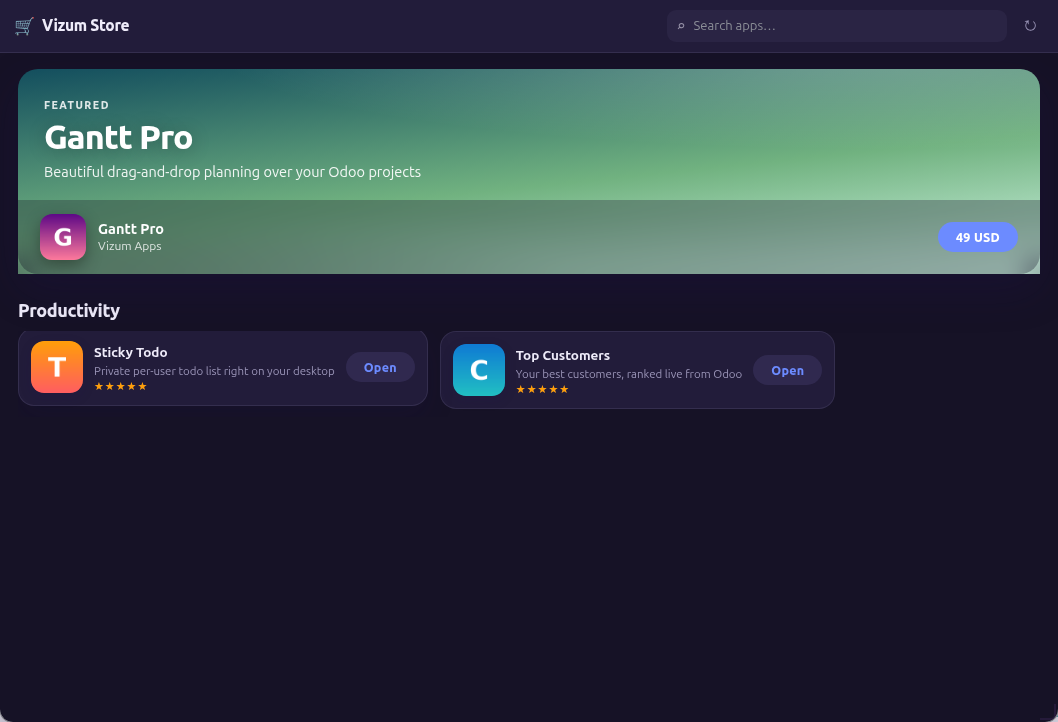
| Step | What happens |
|---|---|
| 1 · Create the app | On the publisher backend (Vizum Store → Apps): key, summary, category, screenshots, pricing (free / one-time per database / subscription). |
| 2 · Upload a version | Drop the .vapp — version, minimum platform and the permission summary are extracted and validated from the manifest automatically. |
| 3 · Publish | The app appears in every connected desktop's Store window. Updates: upload the next version, users see an “Update” pill. |
| Paid apps | One purchase licenses the whole customer database. Licenses are ed25519-signed tokens verified offline by the platform; subscriptions get a 14-day offline grace. |
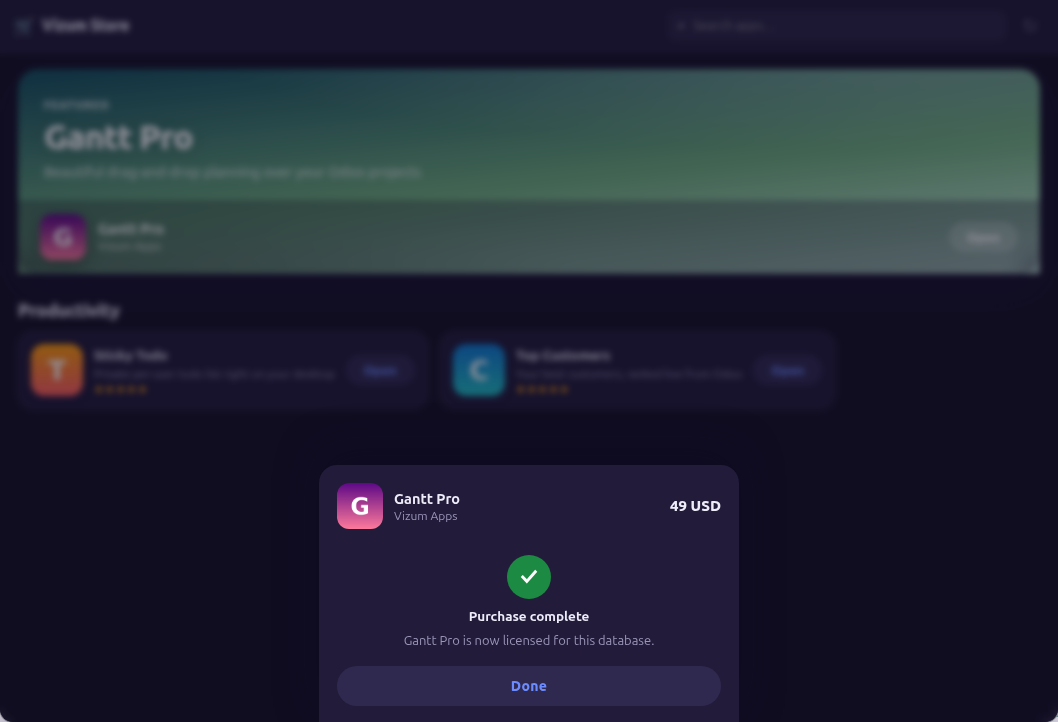
18Troubleshooting
| Symptom | Cause → fix |
|---|---|
| “manifest field 'x' is required” | Fill every required field from §04. |
| “illegal path in package” | Your zip contains ../ or absolute paths — zip from inside the app folder. |
| “Version x.y.z already installed” | Bump version. |
| App stuck “needs approval” | It declares orm/net/data:"global" — an administrator must approve it (dock 🧩 → Approve). |
PermissionDenied at runtime | The call isn't covered by the approved manifest. Widening needs a version bump + re-approval. |
| Reads return fewer fields than asked | Field filtering at work — only declared fields (+id) come back. |
| Unexpectedly empty search results | A manifest domain, or Odoo record rules for that user, narrow the query. |
| Styles ignore dark mode | Use the CSS variables from §07 instead of hardcoded colors. |
Vizum.net.fetch rejects | The host is missing from permissions.net (exact hostname or *.wildcard), or the app update widened it and awaits re-approval. |